Grow Local
Grow Local
How-To Guides

What is Grow Local? The Website Builder That Builds the Website for You

November 18, 2026Skip to article
Grow Local

Build for free, only pay if you like it.

Build your site free

Free. Takes a few minutes.

Love it? Go live

$99/month. Cancel anytime.

Get more customers

SEO optimized and AI ready.

Loading website builder...

2,500+ local businesses
already online
What is Grow Local? The Website Builder That Builds the Website for You

Key Takeaways

  • 1Grow Local is a done-for-you website builder for local business owners with no technical skills: you answer a few questions and pick a design, and the site is written and launched for you.
  • 2It supports 104 industries and is already used by more than 2,500 local businesses, with service and location pages built in.
  • 3The preview builds in real time for free, and the full site is generated automatically in about 1 to 3 minutes after payment
  • 4Unlike Wix, which makes you start a new site to change templates, Grow Local owners switch templates anytime and keep all content, pages, SEO structure and leads.
  • 5One flat plan at $99 per month includes hosting, SSL, backups, service and location pages, a leads dashboard and downloadable PDF lead reports, with no contract or setup fee.
  • 6Customer trust data backs up a website: DreamHost's 2026 survey found 69% see a site as essential for credibility and 39% have declined to buy from a business without one.
  • 7DIY and agency costs add up: GoodFirms put agency sites at $1,000 to $15,000 and DIY builders at $50 to $500 a year before renewals, apps and your own time.
  • 8Owners connect their own domain with one DNS record, Grow Local sets up SSL automatically, and they can build free first and cancel anytime from the dashboard.

Grow Local is a website builder that builds the website for you, made for local business owners with no technical skills. Instead of handing you a blank screen and a blinking cursor, it writes and launches your whole site after you answer a few simple questions. That is the part most owners have been waiting for.

Here is the scene we hear about all the time. A busy owner finally sits down to build a website. They sign up for a popular tool, and it drops them into a blank editor or a chat box. Now they have to know what pages to make, what to write, and how a site is supposed to show up on Google. The project gets pushed to next weekend, then the one after that, and the site never gets built.

Two smiling professionals collaborating on laptop discussing local business growth strategy

What Grow Local Actually Is?

Grow Local is a done-for-you website service for local business owners. You type in your business information and pick a design, and Grow Local writes and launches the site for you. There is no editor to learn and no blank page to stare at.

Think of it as the opposite of a project. Most tools sell you the parts and the workbench. Grow Local hands you a finished site and keeps it running. That is the whole idea behind this website builder, and it is why a non-technical local business owner can get online without hiring anyone.

What you doWhat Grow Local does
Answer a few questions about your businessWrites your pages and launches the site
Choose a design and two colorsBuilds the local SEO structure Google and AI tools look for
Add a link to your Google Business ProfileHandles hosting, SSL and backups
Edit everyday details from the dashboardKeeps improving technical SEO behind the scenes

A Done-for-You Site, Not a Blank Editor

Most website tools hand you an editor or a chat box and expect you to know what to build. You get a canvas with sample boxes and a sidebar full of settings. That works great if you already know what a service page is, how many you need, and how to lay out a home page that reads well. For most local owners, that is the problem, not the solution.

Grow Local flips that around. You never see a blank editor at the start. You answer plain questions, and the site is written and launched for you. The writing, the page structure and the layout are already done by the time you look at your preview.

That is what done for you means here. You do not need to know how to build a website, what makes a page rank, or how to turn a visitor into a phone call. Those decisions are made for you, based on experience with how local sites are put together.

The result is a site that looks finished on day one. You can still shape it, change the design, and update your details whenever you like. You just do not have to start from nothing.

Built for Local Service Businesses

Grow Local is a narrower product on purpose. It is built for local businesses, not for big online stores or national brands. That focus is what lets it write pages that fit the way a local service business actually works.

It supports 104 industries, so plumbers, cleaners, landscapers, electricians, dog groomers and dozens of other trades all have a starting point made for their kind of work. The questions you answer and the pages you get are shaped around your industry, not a generic template meant for everyone.

More than 2,500 local businesses are already online with Grow Local. That is a useful signal because it shows the system has been run across many different trades and towns, not just one or two. A tool that has only built a handful of sites has not seen the range of real businesses yet.

If you run a local business and serve customers in your city and the areas around it, you are the exact owner this was made for. The service does not try to be everything. It tries to do one job well.

What It Is Not

It helps to be clear about what Grow Local does not do, so there are no surprises. It is not an online store builder. There is no shopping cart, no product checkout, and no way for customers to pay you on the site. These are basic local business websites built to get you found and get you called.

It is also not a drag-and-drop canvas. You are not dragging boxes around a screen and lining up columns by hand. That kind of tool gives you total control and total responsibility, which is exactly the burden most busy owners want to avoid.

It is not a chat-based AI builder where you have to know what to ask for either. Those tools wait for you to type the right prompt, then wait again for the next one. If you do not know what to request, you get stuck. Grow Local asks you the questions instead, so you never have to guess the right wording.

So if you need an online store with a cart and payments, this is not the right fit. If you want a clean local website that is written and launched for you, it is.

How a Grow Local Site Gets Built?

The build is simple by design. You answer a short set of questions about your business, and the site is built for you. You see a free preview before you spend anything, and the full site is written within minutes after you decide to go live.

There is no long setup, no tutorials to watch, and no files to upload before you can see progress. The point of the setup is to collect what only you know about your business, then let the system do the heavy lifting.

StepWhat happensWhat it takes
Answer questionsYou describe your business, services and areasA few minutes, no login or email
See the previewPages build in real time as you answerFree, before you pay
Go liveFull site is generated automaticallyAbout 1 to 3 minutes after payment
Connect your domainYou add one DNS record, SSL is set up for youDNS changes take time to spread

Answer a Few Questions

Setup starts with a short set of questions. You tell Grow Local the type of business you run, the services you offer, your main city, and the other areas you serve. That is the information only you have, and it shapes the whole site.

You do not need a login or an email address to begin. You can start answering right away and see where it goes. That matters because it lets you test the waters without committing to anything first.

The questions are written in plain language. You are not asked about hosting, DNS, meta tags or anything technical. You describe your business the way you would describe it to a new customer on the phone.

Behind each answer, the system is already deciding which pages to build and how to write them. The more accurately you describe your services and areas, the better your first draft reads. You can refine details later, so there is no pressure to get every word perfect up front.

See a Free Preview Before Paying

As you answer the questions, the preview builds in real time. You watch your site take shape instead of waiting for a surprise at the end. That live view is one of the most reassuring parts of the whole process.

The preview is free. You can build and look at your full site before paying a cent. There is no trial clock and no card required just to see it. You either like what you see or you walk away having lost nothing.

Use the preview to check the real details. Read how your business is described, look at your service pages, and see how your areas are laid out. This is your chance to catch anything that reads wrong before you go live.

We think showing you the finished site first is the fair way to do it. You should know exactly what you are getting before you decide to pay. Keep in mind a website on its own does not guarantee rankings or leads. It is one piece that works alongside your Google profile and your reviews.

The Full Site Is Written Within Minutes

When you decide to go live, the full site is generated automatically. In most cases it is ready in about 1 to 3 minutes. You are not waiting days for a designer to deliver a draft.

The numbers back that up. Across 37 builds logged from March to May 2026, the median build took 2.7 minutes. That is the middle of the range, so half finished faster and half took a little longer.

We will not promise an exact time or call it instant, because real systems vary. What we can say is that the full site is written within minutes of you choosing to go live, not hours or days. For a busy owner, that is the difference between a project and a quick decision.

Once it is generated, your site is live and your pages are in place. From there, the everyday work shifts to small edits you make yourself, which take seconds from the dashboard.

Connect Your Own Domain

You can use your own domain name, like yourbusiness.com. To connect it, you add one DNS record. A DNS record is a small setting at your domain company that points your web address to your site.

You add that one record, and Grow Local verifies it and sets up SSL automatically. SSL is the padlock in the browser bar that encrypts visits and tells customers the connection is secure. You do not have to buy or install a certificate yourself. You can read more on the custom domain feature page.

One thing to expect: DNS changes can take time to spread across the internet. That is normal and outside anyone's control. Your domain may point to the site quickly, or it may take a while depending on your provider.

It also helps to know that being live is not the same as being indexed. A site going online is step one. Search engines finding, reading and ranking it is a separate process that takes longer and varies.

Two colleagues collaborating on a laptop computer in a modern bright office

How Grow Local Differs From DIY Website Builders

The clearest way to see Grow Local is next to a do-it-yourself builder. Tools like Wix, Squarespace and GoDaddy are powerful, but they hand you an editor or a chat box and expect you to drive. Grow Local does the driving.

None of this is a knock on those tools. They serve designers, agencies and hands-on owners well. The question is simply which approach fits a busy local owner who does not want a web project on their plate.

AreaDIY buildersGrow Local
Who builds the pagesYou do, in an editor or chatGrow Local writes and launches them
Switching templatesWix: start a new site and move contentSwitch anytime, keep everything
Pricing structureMultiple tiers and add-onsOne plan, $99 per month
Ongoing SEO workOn youImproved behind the scenes

You Do Not Have to Know What to Build

The biggest gap is knowledge. DIY builders assume you already know which pages to make and how a site is supposed to rank. If you do not, the tool cannot help you figure it out. It just waits.

GoDaddy's Airo is a good example of the newer approach. It builds from a description, but you prompt it for each change and decide which service and city pages to build yourself. GoDaddy support does not cover adding content, customizing templates or getting ranked. The thinking is still your job.

Grow Local writes service and location pages for your industry without you having to request them one by one. Based on your business type and the areas you serve, it builds the pages a local site usually needs. You can explore how these work on the service pages and location pages feature pages.

That means you do not need to know the recipe. You describe the business, and the structure comes built in. For an owner who has never thought about site architecture, that removes the exact step that usually stalls the whole project.

Switching Templates Without Starting Over

Design regret is common. You pick a look, use it for a while, then want something different. What happens next depends on the tool, and the difference is bigger than most owners expect.

Wix does not let you switch the template of a site you already created. Its help center explains that you have to start a new site and move your content over, and the design and layout cannot be transferred (Wix Help Center, "Switching Your Site Template"). That is a real chore, and it is easy to lose work in the move.

Grow Local owners switch to any other template anytime from the dashboard, at the same price. You keep your content, your pages, your SEO structure, your AI visibility setup, your leads and your settings. Only the look changes.

On top of that, new templates keep getting added for every industry, and every existing owner can switch to them at no extra cost. So your design is never a one-way door. You can refresh the look as your business grows without rebuilding anything. The design feature page covers how this works.

One Price, No Upgrade Maze

Pricing is where builders get confusing. There are tiers, add-on stores, credit packs and renewal rates that differ from the sign-up price. It can be hard to know what you will actually pay a year from now.

Grow Local has one plan at $99 per month. No tiers, no add-on store, no upgrade maze. You know the price, and it does not climb as you use more features.

Compare that to the usual spread. Website Builder Expert reported in September 2026 that Wix plans run $17 to $159 a month billed annually, or $24 to $172 billed monthly. GoodFirms 2024 estimates put DIY builders at $50 to $500 a year for a basic site, before add-ons and renewals.

The point is not that one number is always cheaper. It is that one flat price is easier to plan around. You are not watching a meter or wondering which tier unlocks the thing you need next month.

What Is Included for $99 a Month?

The single plan is meant to cover the parts a local site needs, so you are not buying pieces separately. Hosting, security, backups, your pages, your dashboard and your reports all sit inside the one price.

That bundling matters because the hidden extras are what usually blow up a website budget. When the plumbing is included, you do not get surprised later.

IncludedWhat it does for you
Hosting, SSL, backupsKeeps the site online, secure and saved
Service and location pagesAI-written pages built on local SEO structure
Dashboard, leads, reportsSee Total Leads and get downloadable PDF lead reports
Templates and brandingIndustry templates, two colors, your logo and photos

Hosting, SSL and Backups

Hosting is the computer that keeps your site online around the clock. On many tools, hosting is a line item you pay for on top of everything else. With Grow Local it is included in the one plan.

SSL is included too. That is the padlock that makes a site secure by encrypting the connection between your visitor and your site. Customers look for it, and search engines expect it. Grow Local sets it up automatically when you connect your domain.

Backups come with the plan as well. You do not need to buy a separate backup service or remember to run one. Your site content is saved as part of the same package.

Even so, it is a smart habit to keep your own copies of your logo, photos and key business details. Those are the things only you have in the original. If you make frequent changes, holding onto your own originals is just good practice.

Service Pages and Location Pages

Your service pages are written for you from the services you listed. Each one describes what you do in plain, readable language, so a visitor understands the job and a search engine understands the topic. You are not writing them from a blank page.

Location pages cover the areas your business serves. If you work across several towns or parts of a city, those areas each get a page built around them. This is the kind of structure a local site usually needs and that most owners never get around to building themselves.

All of this sits on a local SEO structure built in from the start. That means the site has the setup Google, Maps and AI tools look for when they read a local business page. It is the organized foundation that search tools reward with easier reading.

We want to be straight about what that does and does not promise. A strong structure helps you get found, but it is not a guarantee of rankings. No one can promise a position in search results, and anyone who does should make you cautious.

Your Dashboard, Leads and Reports

The dashboard is your home base. It gives you one place to see how the site is doing instead of guessing. You are not logging into three different tools to piece together the picture.

It shows Call Clicks, which are taps on your website's call button, and contact form leads for the month. It adds them together as Total Leads, so you have a simple monthly count. The leads and analytics page explains how this is laid out.

One honest note on the call number. It counts taps on the call button only. Grow Local does not record calls or store callers' phone numbers, so it is not call tracking. It is a count of how many people clicked to call.

You can also download PDF lead reports. Pick any date range and get your leads, requests and totals in one clean file you can save or share. Remember that numbers take time to build, so watching the trend over several months tells you more than any single week.

Design, Templates and Branding

Design starts with industry templates in many styles. They are built around the way different local businesses present themselves, so your starting point already fits your trade. You pick the look you like best.

Then you choose two colors, a main and an accent, to match your brand. You can change both anytime from the dashboard without losing any content. If you rebrand or just want a fresh feel, the switch is quick.

Branding also means your own photos and logo. You upload real images of your work and your logo, and the site uses them so it looks like your business, not a stock template. Real job photos tend to connect with customers far better than generic images.

Every site is mobile-responsive, so it adjusts to look right on phones and tablets. Most local searches happen on a phone, so that matters. And because new templates keep getting added at no extra cost, your design options grow over time.

Two colleagues smiling while reviewing website management tasks on a laptop together

Managing Your Site After It Goes Live

Getting online is only the start. The day-to-day question is how hard the site is to keep current. With Grow Local, the everyday edits are things you do yourself in seconds, without waiting on anyone.

That matters because a stale site hurts you. Wrong hours or an old phone number frustrate the exact customer who was ready to call. Easy edits keep the site accurate, which keeps it useful.

Edit Your Business Info Anytime

From the dashboard, you can add or change services, update your business hours, change your phone number, and upload new photos and your logo. These are the details that change in real life, so they should be easy to change online. You can see how this works on the business info feature page.

Say you add a new service for the season, change your hours for a holiday, or get a new number. You make the edit yourself and it is done. You are not filing a request and waiting for someone to update it.

Keeping these details current is more than tidy housekeeping. Google advises making your business information as complete as possible, including your regular and special hours. It makes sense for your website to match what customers find everywhere else.

When your hours, phone and services line up across your site and your profiles, customers trust what they see. Mismatched information is a quiet reason people move on to the next business. Quick edits keep everything in agreement.

Reviews and Trust Signals You Control

Reviews carry real weight with new customers, and the dashboard helps you gather them. From the Reviews tab, you can send a customer who finished a job one review request email with your Google review link. It makes asking easy and consistent.

On the live site, only the reviews you entered in the dashboard show up. Sample reviews appear in the setup preview to show you the layout, but they do not carry over. When you have no reviews entered, the reviews section is simply hidden.

Trust claims work the same controlled way. Things like licensed, insured, bonded, a BBB mention, ratings, same-day or warranty show only when you turn them on in the dashboard. Nothing is claimed for you by default.

That keeps your site honest and in your hands. You decide which badges and claims are true for your business, and only those appear. Customers see what you stand behind, not boilerplate.

Grow Local Keeps Improving Behind the Scenes

The part you never see is the part that keeps working. Grow Local keeps improving the technical SEO and AI visibility of every site on an ongoing basis. You do not have to manage it or even think about it.

That ongoing work includes hosting, security and schema. Schema is a kind of hidden label that tells search engines and AI tools what your business is, where it is, and what it does. Those labels are fiddly to maintain by hand, so having them handled for you removes a real chore.

This is the piece most DIY builders leave entirely on your shoulders. On those tools, keeping up with technical changes is your job, if you even know what changed. Here it happens in the background across every site.

The payoff is simple. Your site does not drift out of date behind the scenes while you run your business. The structure that helps you get found keeps getting tended to, so you can focus on your actual work.

Why a Website Still Matters for a Local Business

Some owners figure a busy Facebook page is enough. It is a fair thought, but the research points the other way. Customers still expect a real website, and the lack of one quietly costs business.

The numbers below come from vendor and industry surveys, with sources and dates. They are worth reading because they describe how customers actually decide who to trust.

Customers Expect to See a Website

DreamHost's 2026 Local Business Trust Index, a November 2025 survey of 1,201 Americans ages 18 to 64, found that 69% say a website is essential for a local business to be credible. DreamHost sells hosting and website tools, so it is a vendor survey, but the signal is strong.

The same survey found 70% are more likely to do business with a company that has a website. That is most people saying a website tips their decision. For a local business choosing between you and a competitor, that is the moment a site earns its keep.

A website also answers the questions customers have before they ever call. What you do, where you work, and whether you look established. A Facebook page can do some of that, but it does not read like a business home base in the same way.

Think about how you check out a new business yourself. You want a place that looks settled and real. Your customers do the same thing, and a website is where they look.

No Website Can Cost You Business

The downside is just as clear. In the same DreamHost 2026 survey, 39% said they have declined to visit or buy from a business because it lacked a website. That is more than a third of people walking away over a missing site.

Perception follows. The survey found 45% say businesses without a website feel less real. Without a site, you can look temporary even when you have been around for years and do great work.

AI search does not save you here either. The same survey found only 35% would consider a business recommended by AI if it lacks a website. So even when an AI tool suggests you, many people still want a site to confirm you are legitimate.

Put those together and the cost of no website is real, even if it is invisible. You never meet the customers who quietly chose someone else. A site closes that gap before it opens.

Reviews Send People to Your Website

Reviews and your website work as a team. BrightLocal's Local Consumer Review Survey 2026, a February 2026 survey of 1,002 US adults, found that after reading positive reviews, 54% visit the business's website while 24% visit its social media channels.

That gap is the point. Good reviews do their job, then send more than half of those readers straight to your website. If there is no site to land on, that interest has nowhere to go.

So your reviews and your site feed each other. Reviews build trust, and the website turns that trust into a visit, a call or a form. One without the other leaves value on the table.

This is also why the review request tool in the dashboard matters. More positive reviews means more people arriving at your site ready to act. A strong site makes that arrival count.

Most Competitors Are Already Online

Being online is now the norm, not the edge. Clutch reported in August 2025 that 83% of small businesses have a website, up from 64% in 2018. Only 17% do not.

Read that as competition. Most of the businesses you compete with already have a site working for them. When a customer compares options, the ones with a clear website have a head start.

The 17% without one are a shrinking group. A few years ago, skipping a website blended in. Today it stands out, and not in a good way.

We will not promise that a website delivers any specific result, because no one honestly can. What the data shows is simpler. Most competitors are online, customers expect it, and being absent is now the exception.

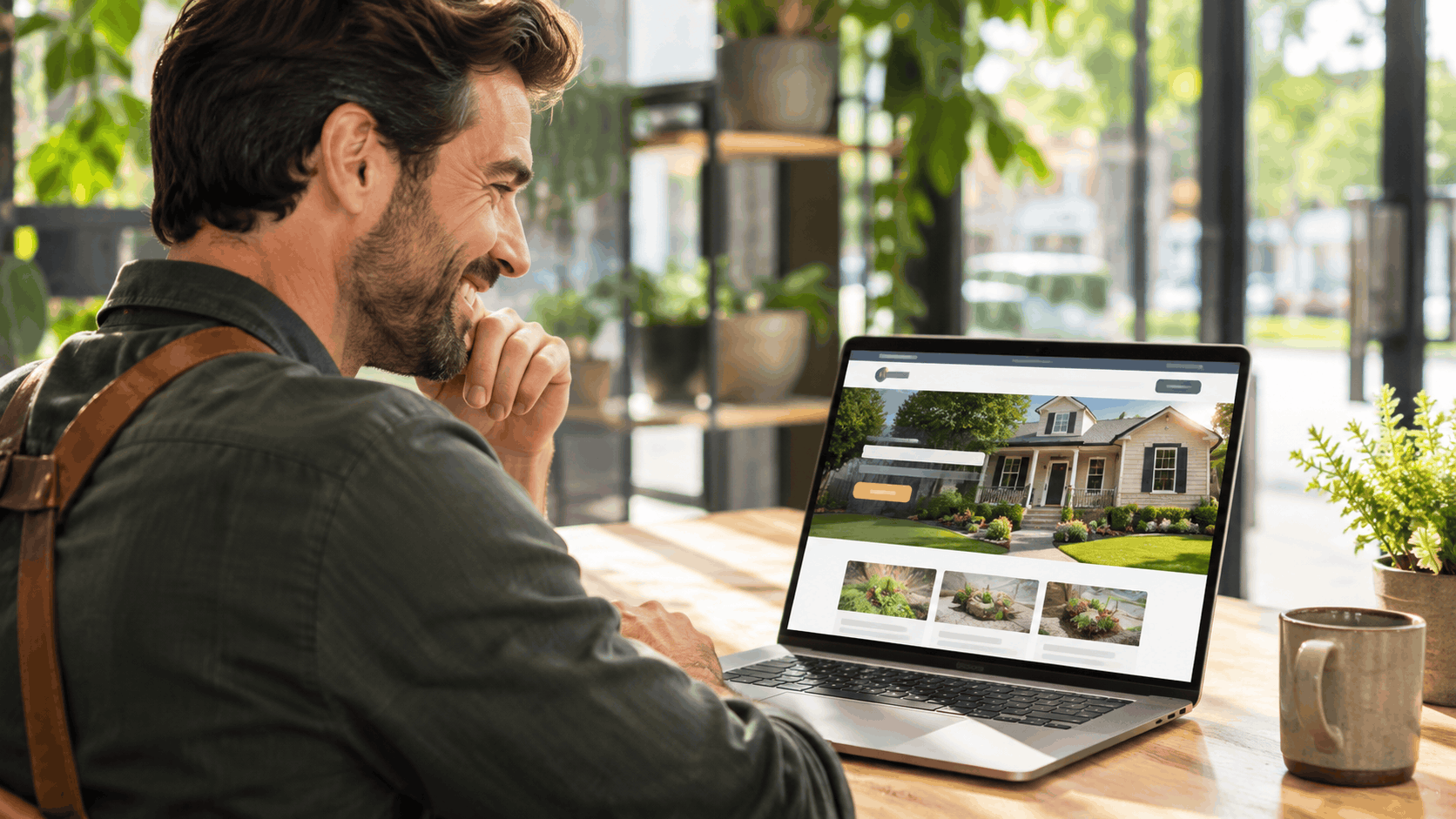
Smiling man reviewing landscaping business website on laptop at wooden desk

The Real Cost of Building a Site Another Way

Before comparing prices, it helps to see honest ranges. A website can cost a few hundred dollars a year or many thousands up front, depending on how you build it. The trick is counting the ongoing costs people forget.

The figures below come from agency listings and agency estimates, not random samples of small businesses, so treat them as ballpark ranges. They still give you a useful map.

Hiring an Agency

Hiring a professional is the hands-off path, and it carries a real price tag. A GoodFirms survey of web development companies (February 2024) put a simple 5 to 10 page business website at $1,000 to $15,000. The same survey found 60% of companies charge $1,000 to $7,000 for a business site.

Time is part of the cost too. GoodFirms found professionals average about 2 months to build a basic site. For an owner who wants to be online soon, two months is a long wait before the first visitor ever sees the page.

These GoodFirms figures are agency estimates and are over two years old, so read them as ranges rather than exact quotes. Prices shift with features and the agency you pick. Still, the picture is consistent: a custom build is a sizable project.

An agency can be the right call for a complex site with special needs. For a straightforward local business website, the cost and the two-month timeline are a lot to take on. Many owners want something faster and simpler.

Doing It Yourself With a Builder

The DIY builder looks cheap on the surface. GoodFirms 2024 estimated DIY builders like Wix or Squarespace at $50 to $500 a year for a basic site. That headline range is only part of the story.

The extras add up. According to Website Builder Expert (September 2026), Wix's free domain lasts only the first year, then runs about $21.35 a year for a .com. Some apps cost about $3 to $20 a month, business email runs about $6 a month, and US online payments run 2.9% plus $0.30 per sale.

Refund rules deserve a look too. Website Builder Expert reported in September 2026 that Wix's 14-day refund covers only the first payment, not renewals. So check the renewal price before you buy, because it can differ from the sign-up price.

None of these fees are hidden on purpose, but they are easy to miss while you are focused on building. By the time you add a domain renewal, a couple of apps and email, the real yearly cost climbs well above the sticker. And you still did all the work yourself.

The Costs That Keep Coming

A website is not a one-time purchase. Several costs come back every year no matter how you built it. GoodFirms 2024 data pegs annual maintenance for a small business site at $250 to $1,000.

Then there are the pieces that keep a site running. A domain, your web address, runs about $10 to $15 a year. SSL, the padlock that makes a site secure, runs $50 to $100, though 46.2% of companies said it comes free with basic hosting.

Add those up and the yearly total is more than most owners expect at sign-up. Maintenance, domain and security repeat on a schedule, whether or not you touched the site that year. Budgeting for them avoids surprises.

There is one cost that never shows on an invoice: your time. Writing pages, editing photos, fixing breaks and keeping things current all take hours. For a busy owner, that time has real value, and a DIY build spends plenty of it.

Where Grow Local's $99 a Month Sits

Against those ranges, Grow Local is one flat monthly price. $99 per month covers hosting, SSL, backups, your service and location pages, your dashboard and your reports. The pieces that become surprise line items elsewhere are bundled here.

There is no contract and no setup fee. You are not signing up for a year or paying extra just to get started. The price is the price.

You also build free first. You can create and preview your whole site before you ever pay, so you know what you are getting. If it is not right, you have spent nothing.

And if you change your mind later, you cancel anytime from the dashboard. You are not locked in, and you are not stuck chasing support to get out. That flat, flexible setup is the whole trade: a predictable price in exchange for the work being done for you.

How Grow Local Builds the Website for You

The flow is short. You type in your business information and pick a design. Grow Local writes and launches the site, which is SEO optimized and AI-ready, and you add a link to your Google Business Profile.

From there, the ongoing work stays off your plate. Grow Local keeps improving the technical SEO and AI visibility behind the scenes on an ongoing basis, including hosting, security and schema. You run your business while the site keeps getting tended to.

The plan is $99 per month. You can build free first, see your full site before paying, and cancel anytime from the dashboard. There is no contract and no setup fee.

This is done for you, not a do-it-yourself builder. If you later want full-service help with SEO, GEO and AEO, you can move up to a done-for-you SEO service. But the starting point is simple: answer a few questions and let the site be built for you.

Man smiling while browsing a real estate website on laptop in cafe

Bringing It All Together

A website is now something customers expect from a local business, and most competitors already have one. The hard part has never been wanting a site. It has been the blank editor and the know-how that DIY tools assume you bring.

Grow Local removes that step by writing and launching the site for you. You answer a few questions, see a free preview, and get a finished local site with service pages, location pages, a dashboard and reports. Everyday edits take seconds, and the technical work stays off your plate.

The honest frame holds the whole way through. A website helps you get found and gives customers a real place to trust, but no one can guarantee a position in search results. What you can count on is a done-for-you site, built on local SEO structure, that you can start free and shape anytime from your dashboard.

Frequently Asked Questions

What is Grow Local?

Grow Local is a done-for-you website for local business owners with no technical skills. You type in your business information and pick a design, and Grow Local writes and launches the whole site for you. You add a link to your Google Business Profile so customers can find your reviews and map listing. There is no blank editor to learn and no pages to build yourself. It is made for local businesses, with templates for 104 industries.

How much does Grow Local cost?

Grow Local has one plan at $99 per month, billed monthly. There is no contract, no setup fee and no annual plan. You can build and preview your full site for free first, so you know exactly what you are getting before you pay a cent. If you decide it is not right, you have lost nothing. And if you change your mind after going live, you can cancel anytime from your dashboard with no penalty.

Can I see my website before I pay for Grow Local?

Yes, you can preview your Grow Local site for free before you pay anything. That way you can look at your pages, check how your business is described, and decide whether it is right for you without spending a cent. If you like it, the plan is $99 per month with no contract. If you do not, you have not lost anything. Just keep in mind that a website on its own does not guarantee rankings or leads. It is one important piece, alongside your Google profile and your reviews.

Do I need any technical skills to use Grow Local?

No technical skills are needed at all. You answer a few plain questions about your business and pick a design, and the site is built for you. You do not need to know how to code, how hosting works, or how to make a page rank. Everyday changes, like updating hours or adding a service, are made with a few clicks from the dashboard. If you can describe your business on the phone, you can get a website with Grow Local.

What can I change on my Grow Local website myself?

You can update the everyday details of your business yourself, any time, from your dashboard. That includes your services, business hours, phone number, photos, logo and colors. So if you add a new service, change your hours for the holidays, get a new phone number, or want fresh photos of recent jobs, you can make the change without waiting on anyone. Keeping these details current matters, since Google advises making your business information as complete as possible. Your dashboard also shows your leads and analytics.

How long does it take to build a Grow Local site?

The preview builds in real time while you answer the setup questions, so you watch it take shape. After payment, the full site is generated automatically in about 1 to 3 minutes. Across 37 builds logged from March to May 2026, the median build took 2.7 minutes. Keep in mind that being live is not the same as being indexed. Search engines finding and ranking your site takes longer and varies, so no one can promise a ranking date.

Can I use my own domain name?

Yes, you can connect your own domain name. You add one DNS record at your domain company, which is a small setting that points your web address to your site. Grow Local then verifies that record and sets up SSL automatically, so your site shows the secure padlock without any extra work from you. One thing to expect: DNS changes can take time to spread across the internet, so your domain may point to the site right away or after a short wait.

Can I switch my template later?

Yes, you can switch to any other template anytime from your dashboard, at the same price. You keep everything: your content, your pages, your SEO structure, your AI visibility setup, your leads and your settings. Only the look changes. New templates keep getting added for every industry, and every existing owner can switch to them at no extra cost. That is a real difference from some builders, where changing a template means starting a new site and moving content over by hand.

Does Grow Local have an online store?

No, Grow Local sites are basic local business websites. There is no online store, shopping cart, or way for customers to pay you on the site. The focus is on helping local service businesses get found and get contacted, with service pages, location pages and a call button that customers can tap. If your business depends on selling products online with a cart and checkout, Grow Local is not the right tool for that part of your work.

How do I cancel if I change my mind?

You can cancel anytime from your dashboard. Go to the Account page and use the Cancel Subscription button. There is no contract, so you are never locked in. Your cancellation takes effect at the end of your current billing period, and the dashboard shows the date your subscription is set to end. Your site stays up until then, and your content is kept for 90 days in case you decide to come back.

Grow Local Team

Written by Grow Local Team

Editorial

Grow Local helps local service businesses build SEO-ready sites and grow online.

Ready to improve your local visibility?

Get started now and discover local opportunities you're missing.

Build Your Website Free

No commitment, cancel anytime