Grow Local
Grow Local
How-To Guides

How to Make a Website for a Plumbing Business, Page by Page

November 15, 2026Skip to article
Grow Local

Build for free, only pay if you like it.

Build your site free

Free. Takes a few minutes.

Love it? Go live

$99/month. Cancel anytime.

Get more customers

SEO optimized and AI ready.

Loading website builder...

2,500+ local businesses
already online
How to Make a Website for a Plumbing Business, Page by Page

Key Takeaways

  • 1A plumbing website needs a home page, a service page for each job, a location page for each area served, an about page, and a contact page, with each page answering a real customer question.
  • 2A separate page per service helps customers and search engines understand exactly what a plumber does, and Google says content length alone does not affect ranking.
  • 3Real photos of the team, trucks, and finished jobs build more trust than stock images, and Google recommends short alt text describing each photo.
  • 4Service pages should lead with a plain definition, an honest price range, a local cause for the problem, question headings with direct answers, and steps or a comparison table in visible text.
  • 5Location pages must name real neighborhoods and tie local conditions like hard water or winter freeze risk to the work, never just swap the town name.
  • 6A website is owned while Facebook and Google profiles are rented and can be restricted, as the Queensland Small Business Commissioner warned in June 2026.
  • 7Connecting a domain means adding one DNS record, after which SSL is set up automatically, though DNS changes take time to spread.
  • 8Grow Local is a done-for-you website at $99 per month with no contract, building service and location pages and handling technical SEO behind the scenes.

To make a website for a plumbing business page by page, a plumber builds a home page, a service page for each job, location pages for the towns they cover, an about page, and a contact page. Each page answers one real question a homeowner is asking, and together they tell Google and AI tools exactly what the business does and where it works.

Here is the scene that sells it. A homeowner wakes at 1 a.m. to water spreading across the kitchen floor. They grab their phone, type "water heater leaking near me," and start tapping. The plumber whose site loads fast, names the service, and shows a call button gets the call. The one who only has a Facebook page gets scrolled past.

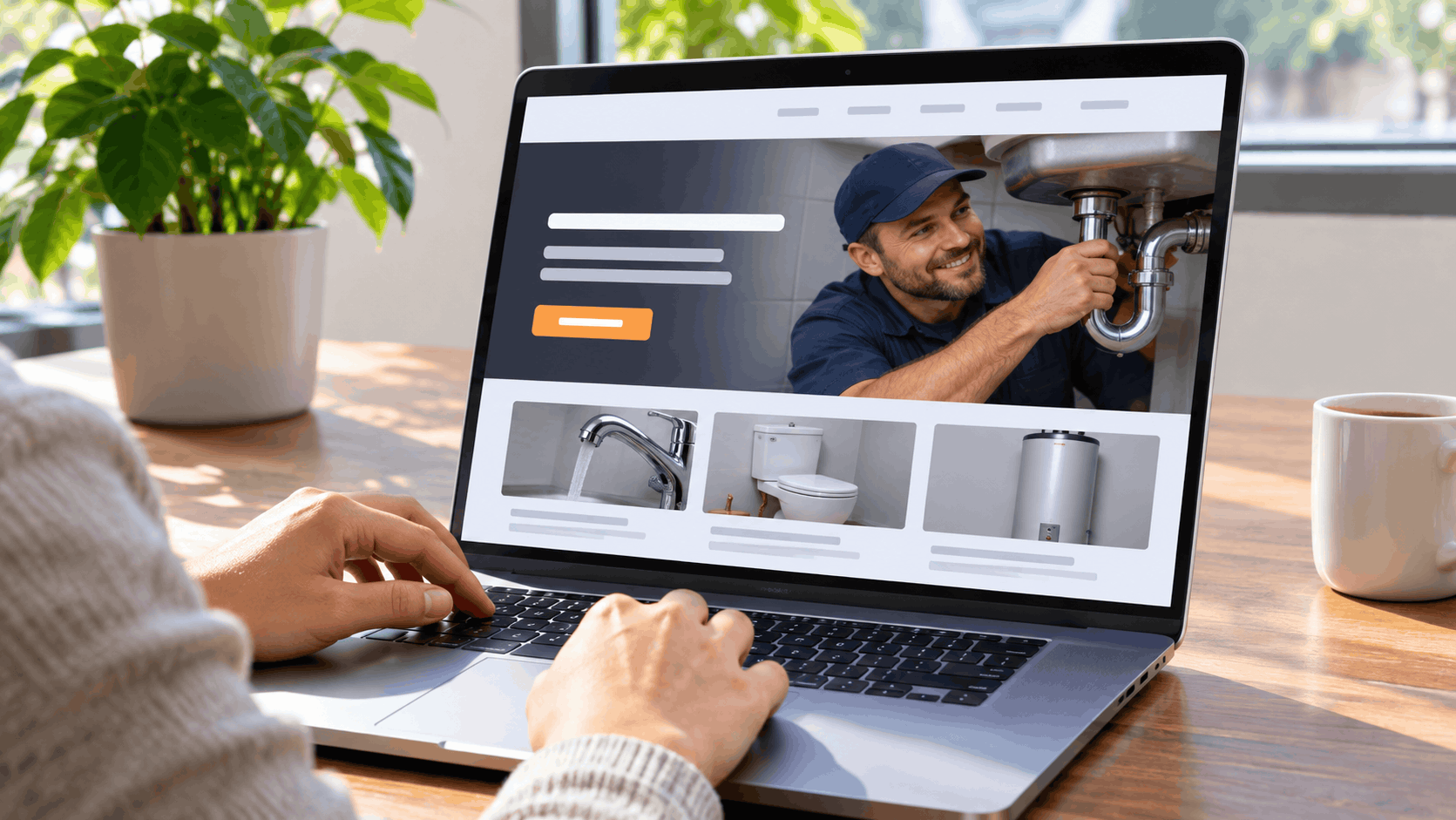
Homeowner and plumber reviewing plumbing services website together on laptop computer

Plan the Pages Your Plumbing Website Needs First

Before writing a single word, a plumber should map out the pages the site needs. Each page should answer a real customer question, not just exist to fill space. A clear plumbing website structure makes it easy for homeowners to find the service they need and easy for search engines to understand what the business offers.

Most local plumbing sites follow the same simple shape. A home page sits at the top. Under it live service pages, location pages, an about page, and a contact page. Think of it as a map: the home page is the front door, and every other page is a room with a clear purpose.

Here is how the standard pages break down.

PageWhat it answers
Home pageWhat do you do and where do you work?
Service pagesCan you fix my specific problem, and what does it cost?
Location pagesDo you serve my town or neighborhood?
About pageWho are you and can I trust you?
Contact pageHow do I reach you right now?

The Core Pages Every Plumbing Site Uses

Every plumbing site works best with a handful of core pages. A home page, one page for each main service, an about page, a contact page, and one page for each town or area served. These local SEO pages give both people and search engines a clear place to look.

Service pages and location pages do the heavy lifting. A separate plumbing service page for drain cleaning, water heater repair, and leak detection lets a plumber explain each job in detail. Location pages tell homeowners in each area that they are covered.

Google says the length of content alone does not matter for ranking. So the goal is not stuffing pages with words. The goal is making sure each page answers a real question a homeowner might type into their phone.

Mapping this out first saves hours later. A plumber who knows the pages they need can write each one with a clear job in mind, rather than cramming everything onto a single crowded home page that confuses visitors.

Why a Separate Page Per Service Helps You Get Found

One page per service is one of the simplest ways to get found. When a plumber puts water heater repair, drain cleaning, and leak detection each on its own page, customers land exactly where they need to be. Search engines understand the difference too.

Plumbing SEO rewards clarity. A dedicated page for "sewer line repair" tells Google that this business handles sewer lines, in detail, not as one line buried on a general page. That focus helps the right homeowner find the right page.

Google warns against piling up pages on many topics just hoping some of them rank. So this is not about creating dozens of thin pages. It is about writing a genuine, useful service page for each real job the plumber actually does.

A customer searching for "frozen pipe repair" wants a page about frozen pipes, with the cause, the fix, and the cost. Lumping that in with ten other services on one page makes it harder for both the reader and the search engine to find the answer.

Match Each Page to a Real Customer Question

The best page names mirror the words customers actually use. A homeowner does not search "hydro-jetting services." They search "how much does it cost to unclog a main drain." Naming a page after that question meets the customer where they are.

Simple keyword research is just listening. A plumber already hears the same questions on every call. "How much does a water heater replacement cost?" "Why does my drain keep backing up?" Those spoken questions make excellent page headings.

Once a page is named after a question, the answer should sit near the top. A homeowner who clicks "water heater replacement cost" wants a price range in the first few lines, not three paragraphs of history first.

This approach also helps AI tools. When a page leads with the customer's question and a direct answer, those tools can read it, understand it, and point people to it. The page does double duty for human readers and the tools they use.

Why a Website Beats Relying Only on Social or a Listing

A Facebook page or a Google Business Profile is rented space. The platform owns the account and sets the rules. A website on a plumber's own domain is owned, which means they control it.

That difference matters more than it sounds. In June 2026, the Queensland Small Business Commissioner warned that Meta owns the platform and account permissions, that accounts can be restricted for reasons outside a business's control, and that businesses should build their own website.

A plumber who runs their whole business through a social account is one suspension away from losing their main sales channel. A website cannot be taken down because an automated system flagged something in error. The owner holds the keys.

The smart move is to use both. Keep the Google Business Profile and the Facebook page, but treat them as storefronts that point back to a website the plumber owns. The website is the home base that does not vanish overnight.

Build the Home Page That Answers the First Question

The home page has seconds to do its job. A homeowner with water on the floor wants to know three things fast: what the plumber does, where they work, and how to reach them. Everything on a plumbing home page should serve those answers.

Local credibility is built right here. A home page that names the service, shows real photos, and puts the call button in plain sight tells a stressed homeowner they found the right help. A cluttered or vague home page sends them back to the search results.

Let us break down the parts that matter most.

Lead With What You Do and Where You Work

The headline is the first thing a visitor reads, so it should state the service and the service area plainly. Something like "24-hour plumbing repair serving the north side" tells a homeowner in one glance that they are in the right place.

Vague taglines waste the moment. "Quality you can trust" says nothing a homeowner can act on. Naming the actual work and the actual area answers the question they came with.

Both people and AI tools read this headline. When the key facts sit in visible page text, rather than inside an image, those tools can understand what the business does. Text buried in a graphic is text they may never read.

Keep the most important facts in words on the page. The service, the area, and a way to call should all appear as readable text near the top, not only inside a logo or a banner image.

Show Real Photos of Your Team and Trucks

Real photos beat stock images every time. A picture of the actual team, a marked truck, and a finished job shows a customer exactly who will show up at their door. Stock photos of smiling models in fake uniforms do the opposite.

Google says high-quality photos appeal to users more than blurry, unclear images. A phone camera in good light is usually enough. A clear shot of a real crew carries more weight than a polished stock photo that could belong to anyone.

Alt text matters too. Google recommends adding short alt text that describes each image. Alt text is a plain written description of a photo, so a line like "plumber replacing a water heater in a garage" helps both search tools and people using screen readers.

Keep file sizes reasonable. Images are often the largest part of a page and can slow it down. A slow page is a problem when a homeowner is tapping through results in an emergency, so resize big photos before uploading them.

Make the Call Button and Contact Form Easy to Find

Plumbing problems rarely wait, so the home page needs an obvious way to call. A clickable phone number or a bold call button, visible without scrolling, lets a homeowner reach the plumber in one tap.

On a phone, the call button should sit right at the top. Someone standing in an inch of water will not hunt through menus. If the fastest path to a call is not obvious, they move on to the next result.

Not every job is an emergency, though. A contact form gives homeowners with a slow drip or a future remodel an easy way to reach out without a phone call. It captures the less urgent leads that a phone-only site would lose.

Both options should feel quick. A short form with a few fields and a clear call button covers the urgent caller and the planner alike, so no lead slips through because the page made them work too hard.

Build Trust With Reviews and Proof

Reviews and credentials near the top of the home page answer the quiet question every homeowner has: can I trust this person in my house? A few real reviews and a mention of licensing go a long way.

The trust a website itself builds is real. DreamHost's 2026 Local Business Trust Index, a November 2025 survey of 1,201 Americans ages 18 to 64, found that 69% say a website is essential for a local business to be credible. Having a site at all signals that a plumber is established.

The same survey found that 70% are more likely to do business with a company that has a website. A homeowner comparing two plumbers will often lean toward the one with a real site over the one with only a social page.

Proof should be specific. Real customer reviews, years working the area, and any licensing or insurance details carry more weight than a generic "trusted and reliable" line. Show the evidence and let the homeowner draw the conclusion.

Plumber and homeowner reviewing plumbing services website on laptop with toolbag nearby

Write a Service Page for Each Plumbing Job

A service page per job gives a plumber room to explain the problem, the fix, and the cost in full. A homeowner searching for water heater repair wants more than a name on a list. They want to understand what is wrong and what it takes to fix it.

Each plumbing service page should teach and reassure. When a page explains the problem clearly and answers the cost question honestly, a homeowner feels informed rather than pitched. That comfort is often what turns a reader into a caller.

Here is what belongs on each service page.

Start With a Plain Definition of the Service

Each service page should open with a short, plain explanation of the service. For drain cleaning, that might be "clearing a clogged drain line so water flows freely again." For leak detection, "finding a hidden leak inside walls or under a slab without tearing the house apart."

This plain language helps real people and AI tools alike. AI tools often cite definitional writing, the kind that explains what something is in clear terms. Leading with a definition gives those tools a passage they can quote.

The definition should sit near the top, before the details. A homeowner who is unsure whether they even need "hydro-jetting" gets a quick answer, then decides whether to keep reading. Burying the explanation lower down loses the confused visitor.

Keep it jargon-free. A plumber knows what a "P-trap" is, but a homeowner may not. Explaining the service in the words a customer would use makes the page welcoming instead of intimidating, which keeps them on the page longer.

Answer the Cost Question Honestly

Cost is the question on every homeowner's mind, so a service page should address it head-on with a range. Honest ranges build trust, while silence makes people assume the worst and leave.

Real numbers help set expectations. Angi, updated March 2026 from more than 30,000 customer surveys, estimates plumbing repair typically costs $341, with a range of $99 to $990. Sharing a band like that tells a homeowner what a typical repair runs without pretending every job is the same.

The honest move is to frame these as general figures and point to a firm quote. Every home is different, so a plumber should confirm their own pricing and give a written price before any work starts. A range sets the stage; the on-site estimate sets the final number.

Explaining what drives the cost helps too. A simple cartridge swap sits at the low end, while a full water heater replacement sits higher. When a page explains why a job costs what it does, the number feels fair rather than random.

Explain Why the Problem Happens Locally

A service page gets stronger when it explains why a problem happens in that specific area. Generic causes are fine, but local detail shows real knowledge of the homes in the neighborhood.

Take older homes with galvanized pipe. Galvanized steel lines corrode from the inside out, so rust builds up on the inner wall long before anything leaks on the outside. Over the years the opening narrows, water pressure drops, and the water can pick up a rusty tint.

That internal corrosion is why a repipe, not just a patch, is often the real fix. Sealing one leak on a line that is rusting along its whole length only buys time. Replacing the corroded run with copper or PEX solves the pressure and water-quality problem at its source.

Connecting the cause to the cure helps the homeowner understand the recommendation. When a page explains that the pipes in a certain build era fail from the inside, a quote for a repipe makes sense instead of feeling like an upsell.

Use Question Headings and Steps AI Tools Can Read

Question-style headings followed by a direct answer make a service page easy to read and easy to cite. A heading like "How long does a water heater replacement take?" with a short answer right under it serves both the homeowner and the search tools.

Microsoft Bing offered clear guidance in October 2025. Use descriptive H2s and H3s, pair direct questions with short answers, use lists and comparison tables where they fit, and write one to two sentence snippable answers. The advice matches how a good service page should read.

Numbered process steps work well for "how we fix it" sections. Listing the diagnostic, the written price, the repair, and the test in order helps a homeowner picture the visit. A short ordered list is clearer than a dense paragraph.

A comparison table also helps when there are options. Repair versus replace, or tank versus tankless, laid out in plain page text lets a homeowner weigh the choice at a glance. Bing specifically warns against hiding key answers in images, PDFs, or collapsed tabs, so keep that table in visible text.

Add a Location Page for Each Area You Serve

Location pages help a plumber get found by homeowners in each town or neighborhood they cover. A service area plumbing business that works across several towns benefits from a dedicated page for each one, as long as every page earns its place.

The trick is making each location page genuinely different. A page that only swaps the town name is not useful. A page that names real streets, local water conditions, and the jobs common in that area tells both homeowners and search engines that the plumber truly works there.

Here is how to build location pages that pull their weight.

Name the Neighborhoods and Towns You Cover

Each location page should name real neighborhoods, streets, and landmarks the plumber actually serves. Specific local detail signals genuine local presence, while a vague "we serve the greater metro area" says almost nothing.

A homeowner reading a page that mentions their own neighborhood by name feels understood. They see that this plumber knows the area, not just the city at large. That recognition builds confidence before a single call is made.

Search engines read this detail too. A page that references specific parts of a service area has clearer local relevance than one that repeats the city name over and over. Real place names beat keyword stuffing.

Only list areas the plumber genuinely serves, though. Naming a town just to catch searches there backfires when a homeowner calls and learns it is out of range. Honest coverage keeps the pages trustworthy and the calls worth answering.

Tie Local Conditions to the Work You Do There

The strongest location pages connect an area's real conditions to the plumbing jobs common there. Water quality, build era, and seasonal issues all shape what breaks and what needs fixing in a given neighborhood.

Hard water is a good example. In areas with high mineral content, scale builds up inside water heaters and fixtures over time. That buildup shortens the life of a water heater and clogs faucet aerators, which ties directly to descaling, softener installs, and water heater service.

Winter brings its own risks. In colder areas, pipes in unheated spaces, crawl spaces, exterior walls, and garages can freeze and burst when temperatures drop. A location page in a cold climate can speak to frozen pipe prevention and emergency repair, work that homeowners there actually search for.

Tying conditions to the work shows expertise. When a page explains that homes in one area deal with hard water scale while another faces winter freeze risk, a homeowner sees a plumber who understands their specific street, not a generic contractor.

Keep Your Name, Address, and Phone the Same Everywhere

Name, address, phone, and hours should match exactly on the website and the Google Business Profile. Consistent details support complete and accurate information, which Google ties to how well a business shows up locally.

Google says businesses with complete and accurate info are more likely to show up, and that prominence draws on factors such as how many websites link to the business and how many reviews it has. Matching details across every page and listing feeds that accuracy.

Small mismatches cause real confusion. An old phone number on one page and a new one on another can send a lead to a dead line. A shortened address in one spot and a full one elsewhere muddies the signal that these all describe the same business.

A simple habit fixes it: when the phone number or hours change, update them everywhere the same day. The website, every location page, and the Google Business Profile should all tell the same story.

Avoid Thin, Copy-Paste Location Pages

Near-identical location pages that only swap the town name do more harm than good. Thin content gives a reader nothing new and gives search engines duplicate pages that compete with each other.

Each page should earn its place with real detail about that area. The neighborhoods served, the local water conditions, the common jobs, and a landmark or two all make a page specific. If every page reads the same except for one word, the pages are not helping.

A good test is to imagine removing the town name. If the page still says nothing unique about the area, it needs work. A page that could describe any town anywhere is not a real location page.

Quality beats quantity here. A few well-built location pages that each speak to their area beat a dozen hollow pages that repeat the same lines. Build the pages a plumber can genuinely fill with local knowledge.

Person browsing a professional plumbing services website on a laptop computer

Create the About and Contact Pages That Close the Deal

The about and contact pages turn interest into a call. By the time a homeowner reaches these, they are close to reaching out. The about page earns the last bit of trust, and the contact page makes the call effortless.

These pages often decide the job. A warm about page and a simple contact page make a homeowner feel comfortable picking up the phone. A thin about page and a clunky contact form give them a reason to hesitate.

Here is what each page should do.

Tell Your Story on the About Page

The about page is where a plumber shares who they are. How long they have worked the area, what kind of jobs they take pride in, and what sets their work apart. A real story beats a list of buzzwords.

Honesty matters here. The page should share genuine history, the real people on the crew, and the actual approach to the work. Inventing awards or founding dates to look bigger only risks the trust the page is meant to build.

Specific details land better than vague ones. A line about the kind of homes the crew works on most, or the care they take cleaning up after a job, tells a homeowner more than "we are a trusted, reliable company."

A photo of the real team helps the story stick. When a homeowner can put faces to the business before anyone knocks on the door, the plumber feels like a known neighbor rather than a stranger from the search results.

Make the Contact Page Simple and Fast

The contact page should be simple and fast. A short form, a clickable phone number, the hours, and the areas served cover what a homeowner needs. Anything extra just slows them down.

Plumbing often means urgent calls, so the phone number should be front and center and tappable on a phone. A homeowner with a burst pipe should be able to call in one tap, not copy a number and dial it by hand.

The form should ask for only the basics. A name, a phone number, and a short note about the problem are enough to start. Long forms with a dozen required fields make people give up before they finish.

Listing hours and service areas on the contact page prevents wasted calls. A homeowner can see at a glance whether the plumber is open and whether their town is covered, which saves everyone time.

Add a Link to Your Google Business Profile

Adding a link to the Google Business Profile gives customers an easy path to reviews and directions. A homeowner who wants to read what others say, or get driving directions, can tap through from the site.

The link sits naturally on the contact or about page. It connects the website a plumber owns to the listing where reviews and map directions live, so the two work together rather than pulling visitors in different directions.

The owner simply adds the link to their profile. The website does not create or manage the profile itself. The plumber keeps the profile up to date in Google, and the website points visitors to it.

This small link closes a loop. A homeowner lands on the site, reads the service pages, then taps through to see reviews and a map. Everything they need to decide and to find the plumber sits within easy reach.

Show How You Handle a Job From Call to Finish

Describing the actual process from call to finish takes the mystery out of hiring a plumber. When a homeowner knows what to expect, they feel safer picking up the phone.

A clear process has a few steps. The plumber arrives and runs a diagnostic to find the real cause. Then they give a written price before any work starts, so there are no surprises on the bill. Then they do the repair and test it.

A written price before work begins is a point worth stating plainly. It tells a homeowner they will know the cost before committing, which removes the fear of a runaway bill that keeps people from calling at all.

Spelling out the response window and the process sets honest expectations. A homeowner who reads how a job unfolds, from the first call to the final test, knows what the visit will look like and is far more likely to book it.

Get the Site Online With a Domain and Hosting

Once the pages are written, a plumber needs a domain, hosting, and security to go live. These sound technical, but each one has a simple job, and modern tools handle most of the work automatically.

A domain is the address, hosting is the home, and SSL is the lock on the door. Understanding each in plain words helps a plumber get the site online without feeling lost in jargon.

Here is what each piece does.

Choose and Connect Your Own Domain

A domain is the web address customers type, like a plumbing company's name followed by .com. It is the sign over the digital storefront, so it should be short, clear, and easy to say over the phone.

Connecting a domain is simpler than it sounds. The owner adds one DNS record, which is a small setting at the company that registered the domain. DNS stands for Domain Name System, the directory that points a web address to the right site.

After that record is added, it gets verified and SSL is set up automatically. The owner does not have to wrestle with security certificates or server settings by hand. The one record is the only manual step.

One thing to know: DNS changes take time to spread across the internet. A new domain connection may not work everywhere the instant it is set. A short wait while the change travels is normal and nothing to worry about. Owners can connect their own domain this way.

Understand Hosting, SSL, and Backups

Hosting is where the site lives. It is the server that stores all the pages and serves them up when a homeowner visits. Without hosting, a site has nowhere to live and no way to load.

SSL is the padlock in the browser bar. It encrypts the connection between a visitor and the site, which keeps information like a contact form submission private. Browsers now flag sites without it, so SSL also signals that a business is legitimate.

Backups protect the content. A backup is a saved copy of the site, so if something goes wrong, the pages can be restored. For a plumber who spent time building out service and location pages, that safety net matters.

The good news is these can come bundled. When hosting, SSL, and backups are included together, an owner does not manage them separately. They go live and stay secure without having to become a server administrator.

Make Sure the Site Works on a Phone

Most homeowners find a plumber on their phone, often during an emergency. The site has to work on a small screen, so a mobile-responsive design is a must, not a nice-to-have.

Mobile-responsive means the site adjusts to any screen size. The same pages reshape themselves to fit a phone, a tablet, or a desktop. Text stays readable, buttons stay tappable, and nothing runs off the edge of the screen.

A site that only looks good on a computer fails the moment someone opens it on a phone. Tiny text, buttons too small to tap, and a layout that spills sideways all send a stressed homeowner back to the search results.

The call button deserves extra care on mobile. Someone with water on the floor should be able to tap a big, obvious call button at the top of the screen. If the fastest path to a call is buried, the lead is lost.

Give Google and AI Tools Pages They Can Cite

A website gives Google and AI tools detailed pages to read. Social posts and listings are limited, but a full site with service and location pages gives those tools plenty to understand and point to.

First-party websites carry real weight in AI answers. Yext's analysis of 6.8 million citations across ChatGPT, Gemini, and Perplexity from July to August 2025 found that first-party websites were the largest single source of AI citations at 44%. A website a plumber owns is exactly that kind of first-party source.

For a page to be found, it needs to be indexed, which means a search engine has read it and added it to its directory. New sites take time to get indexed, and rankings take longer still, so patience is part of the process.

The point is to give these tools something real to work with. Clear, detailed pages that answer customer questions are the pages Google and AI tools can read and cite. No special trick is needed, just useful content in visible text.

Plumber and homeowner reviewing plumbing website on laptop with tools on desk

Keep the Site Working After It Goes Live

A plumbing website is not a one-time job. Hours change, new services get added, and seasons bring new problems. A site that stays current keeps working for the business, while one left to go stale slowly loses its value.

The good part is that upkeep does not require a web developer on call. With the right setup, an owner can make everyday changes, track leads, and keep the site fresh without touching code.

Here is what keeping a site healthy looks like.

Update Hours, Photos, and Services Yourself

An owner should be able to change hours, phone numbers, services, and photos without calling a web developer every time. When a plumber adds a new service or changes their hours for a holiday, the update should take minutes.

Self-service edits save money and time. Paying a developer and waiting days for a simple phone number change is frustrating and slow. A dashboard that lets the owner make the change themselves puts them in control.

Fresh business info keeps customers from getting stranded. Wrong hours or an old phone number on the site sends a lead to the wrong place. Easy edits mean the details stay accurate as the business changes.

New photos matter too. After a big job, a plumber can swap in a fresh picture of the finished work. Being able to upload and change photos directly keeps the site looking current and real.

Track Call Clicks and Form Leads

Knowing where leads come from helps a plumber see what the site is doing. A dashboard can show call button clicks and contact form leads added together as total leads for the month.

Call clicks count taps on the website's call button. Each time a homeowner taps that button, it registers. Form leads count the contact forms submitted. Together they give a plumber a simple monthly picture of interest.

It is important to understand what this count is. It tracks call button taps only. It is not call tracking, because no calls are recorded and no caller phone numbers are stored. The number shows how many people tapped to call, not a log of conversations.

Even so, the figure is useful. A plumber can watch total leads month to month and get a feel for how the site is performing. A rise after adding a new service page is a sign the page is doing its job.

Refresh Pages and Add New Details Over Time

Keeping pages current pays off. New photos, added services, and fresh local details all keep a site useful and give return visitors something new to see.

There is a search benefit too. AI tools tend to favor pages that have been updated recently. A page refreshed with new information signals that the business is active and its details are current, which those tools notice.

Content refresh does not mean a full rewrite. Adding a recent job photo, updating a price range, or noting a new service area keeps a page alive. Small, regular touches beat a once-a-year overhaul.

Seasonal updates fit here too. Adding frozen pipe tips as winter approaches, or water heater advice before the cold sets in, keeps the site relevant to what homeowners are searching at that moment.

Keep the Technical SEO Running in the Background

Behind the visible pages sits the technical side of a website. Schema, which is code that labels what each part of a page means, and site structure both need ongoing attention to help a site stay findable.

Schema helps search engines understand a page. It tells them that a block of text is a business name, a phone number, or a service. Set up and maintained well, it gives Google clearer signals about what the business offers.

Most plumbers do not have time for this. Running the trade all day leaves little room to study schema markup or site structure. That is fair, which is why managed options exist to handle the technical work behind the scenes.

When technical SEO runs in the background, an owner never has to think about it. The site stays structured and labeled correctly while the plumber focuses on the jobs. The behind-the-scenes work continues without pulling the owner away from customers.

How Grow Local Builds Your Plumbing Website for You

Grow Local is a done-for-you website for plumbers, not a do-it-yourself builder. The owner types in their business info and picks a design, and Grow Local writes and launches the site. There is no editor to learn and no blank page to stare at.

The site comes built the way a plumbing business needs it. A service page for each job and a location page for each area served, all structured for local search. Behind the scenes, Grow Local keeps improving the technical SEO and AI visibility of the site on an ongoing basis, so the owner never has to think about it.

What the owner doesWhat Grow Local handles
Types in business info and picks a designWrites and launches the full site
Adds a link to their Google Business ProfileBuilds service and location pages
Connects their domain with one DNS recordVerifies the domain and sets up SSL
Updates hours, photos, and services anytimeKeeps technical SEO and AI visibility running

It is one plan at $99 per month, with no contract. Owners can build free first to see a preview of the full site before paying, and they can cancel anytime from the dashboard. Owners add a link to their Google Business Profile and connect their own domain by adding one DNS record, which Grow Local verifies before setting up SSL automatically.

Person browsing a professional plumbing services website on a laptop computer

How Grow Local Gets Your Plumbing Site Online

Building a plumbing website page by page takes thought, but it does not have to take technical skill. With Grow Local, the owner types in their business info and picks a design. That is the whole job on their end.

From there, Grow Local writes and launches the site, complete with a service page for each job and a location page for each area served. The owner adds a link to their Google Business Profile and connects their own domain by adding one DNS record, which Grow Local verifies before setting up SSL automatically.

Behind the scenes, Grow Local keeps improving the technical SEO and AI visibility of the site over time, so a plumber never has to think about schema or site structure. The work continues quietly while they stay on the tools.

It is $99 per month with no contract. Owners can build free first to see the full site, and cancel anytime from the dashboard.

Putting It All Together

A plumbing website works best when it is built page by page, each one answering a real homeowner question. A home page that names the service and area, a service page for each job, a location page for each town, and clear about and contact pages give customers and search engines a complete picture.

Getting it online means a domain, hosting, SSL, and a mobile-responsive design, then keeping the pages fresh and the leads tracked over time. The plumbers who do this well turn a late-night search into a booked job, because the homeowner found a site that loaded fast, explained the work, and made the call easy.

Frequently Asked Questions

How many pages does a plumbing business website need?

There is no magic number, but most plumbing businesses do well with a home page, one page per service, an about page, a contact page, and a page for each area served. Google says content length alone does not matter for ranking, so what counts is whether each page answers a real customer question. A separate page per service and area helps both homeowners and search engines understand exactly what the plumber does and where.

Do I need a website if I already have a Facebook page or Google listing?

Yes, a website is worth having alongside those profiles, not instead of them. A Facebook page and a Google Business Profile are rented space the platform controls, and they give limited room to explain each service in detail. A website is owned, so a plumber controls it. More people are also asking AI tools for local recommendations, and a website gives Google and those tools a clear, detailed place to learn what the business does.

Should I use my own photos or stock photos on my plumbing site?

Use real photos of the team, trucks, and finished jobs whenever possible, because they show customers who they will actually hire. Google says high-quality photos appeal to users more than blurry, unclear images, and recommends descriptive alt text that describes each photo. A phone camera in good light is usually enough. Real pictures of actual work build more trust than stock images that could belong to any company anywhere.

How much does it cost to build a plumbing website?

Website costs vary widely by builder, host, or agency. As one example, Grow Local is $99 per month with no contract, and that includes hosting, SSL, backups, service pages, and location pages for the areas the business serves. Owners can build free first to see a preview of the full site before paying, and cancel anytime from the dashboard. There is no setup fee and no annual commitment to sign.

How do I connect my own domain name?

The owner adds one DNS record at the company where the domain is registered. A DNS record is a small setting that points the web address to the site. Once added, it gets verified and SSL, the security padlock, is set up automatically. The owner does not have to handle certificates by hand. Keep in mind that DNS changes can take time to spread across the internet, so a new connection may not work everywhere right away.

What should go on a plumbing service page?

A service page should open with a plain definition of the service near the top, then give an honest price range so homeowners know what to expect. Explain why the problem happens locally, such as older pipes corroding from the inside out. Use question-style headings followed by direct answers, and include numbered steps or a comparison table in plain page text. Keeping key facts in visible text, not images or collapsed tabs, helps both readers and AI tools.

Do I need a page for every town I serve?

A page per area helps customers and search engines understand where a plumber works, but each page needs real local detail, not just a swapped town name. Name the actual neighborhoods, streets, and landmarks served, and tie local conditions like hard water or winter freeze risk to the jobs common there. Near-identical copy-paste pages do more harm than good. Each location page should earn its place with genuine knowledge of that specific area.

Does a plumbing website have to be accessible under the ADA?

If the business is open to the public, the U.S. Department of Justice says the ADA applies to the goods and services offered on the web, in guidance it issued on March 18, 2022. Practical first steps are readable text, descriptive alt text on photos, captions on videos, and a site that can be navigated with a keyboard. The DOJ points to the Web Content Accessibility Guidelines as helpful technical guidance. This is general information, not legal advice, so talk to an attorney about a specific situation.

How will I know if my website is getting leads?

A dashboard can show call button clicks and contact form leads added together as total leads for the month. Call clicks count taps on the website's call button, and form leads count submitted contact forms. It is worth understanding that this counts call button taps only and is not call tracking, because no calls are recorded and no caller phone numbers are stored. The number gives a simple monthly picture of how the site is performing.

Can I update my plumbing website myself after it is built?

Yes. A simple dashboard lets an owner change hours, phone numbers, services, photos, logo, and colors without any technical skills. When a plumber adds a new service or updates holiday hours, the change takes minutes, not a call to a developer and a wait of several days. Keeping these details current means homeowners always see accurate information, and the owner stays in full control of the site.

Grow Local Team

Written by Grow Local Team

Editorial

Grow Local helps local service businesses build SEO-ready sites and grow online.

Ready to improve your local visibility?

Get started now and discover local opportunities you're missing.

Build Your Website Free

No commitment, cancel anytime