Back to blog
Tips & Advice

What to Look For in Small Business Website Packages Before You Buy

October 19, 202626 min read
What to Look For in Small Business Website Packages Before You Buy

Key Takeaways

  • 1Customers judge businesses by their website: DreamHost's 2026 index found 69% call a website essential for credibility and 70% are more likely to buy from a company that has one.
  • 2Check what a package actually includes: hosting, SSL, backups, real pages, service and location pages, and a custom domain the business owns.
  • 3Watch for hidden setup fees and add-ons, and compare the true total monthly cost rather than the headline price.
  • 4A site built for local search uses a page per service and per town; people decide fast, with 75% choosing in under 30 minutes and 72% comparing three or fewer businesses (BrightLocal 2026).
  • 5Make sure the owner can edit hours, phone, services, photos and colors alone, since 62% would avoid a business over incorrect information online (BrightLocal 2023).
  • 6Grow Local builds a free preview in real time and the full site is usually ready within minutes of payment, though domain connection and Google indexing take longer.
  • 7Favor a flat price with no contract: Grow Local is $99 per month with no setup fee and cancellation anytime from the dashboard.
  • 8A website on an owned domain is a home base you control, unlike rented social and Google profiles that can be suspended or removed.

Comparing website packages can feel confusing when they all sound the same. Every provider promises a professional site, easy setup, and a fair price. For a local business owner with no technical background, telling the good deals from the traps is hard work.

The trick is knowing what to look at before paying. Some packages hide setup fees. Some lock owners into long contracts. Some give a one-page site when a real business needs room to grow.

Home service technician showing repair package options to homeowner on laptop computer

Why the Package You Buy Matters More Than You Think?

The website package an owner chooses shapes the first impression every new customer gets. Before someone calls or walks in, they often check online. If the site looks thin or dated, trust drops fast.

Customers have strong opinions about businesses without a real website. Those opinions affect small business credibility in ways many owners do not expect. The numbers below show how much weight people put on a website.

What customers sayShareSource
A website is essential for credibility69%DreamHost, January 2026
More likely to do business with a company that has a website70%DreamHost, January 2026
Have declined a business for lacking a website39%DreamHost, January 2026
Say an outdated-looking site hurts their view60%DreamHost, January 2026

Customers Judge a Business by Its Website

People form a judgment about a business long before they speak to anyone. A website is often the first stop. It tells visitors whether the business is real, open, and worth their time.

DreamHost's 2026 Local Business Trust Index, a November 2025 survey of 1,201 Americans ages 18 to 64, found that 69% say a website is essential for a local business to be credible. That is nearly seven in ten people who treat a website as the mark of a real business.

The same survey found that 70% are more likely to do business with a company that has a website. That means the right site does not just look nice. It moves people closer to picking up the phone.

For an owner choosing a package, this is the stake. A weak package leaves the first impression to chance. A solid one gives every visitor a reason to trust the business.

Most Competitors Are Already Online

A business without a website is no longer the norm. Most of the shops and service providers down the street already have one. That changes what customers expect when they search.

Clutch reported in August 2025 that 83% of small businesses have a website, up from 64% in 2018. Only 17% still do not. The gap between having a site and skipping one keeps shrinking.

For a business leaning only on a Facebook page, that is a real disadvantage. When a customer compares three options and two have full websites, the one without stands out in the wrong way. A social profile alone does not carry the same weight.

Picking a package is how an owner joins the majority that are already online. It closes the gap with competitors who have been showing up in search for years.

A Cheap Package Can Cost More Later

The lowest price is not always the best deal. A cheap package that looks dated or is hard to change can quietly push customers away. The savings up front turn into lost business over time.

DreamHost's 2026 Local Business Trust Index found that 60% say an outdated-looking website hurts their view of a business. A site that looked fine three years ago can start working against an owner without anyone noticing.

The other risk is editing. If a package makes small changes hard, hours and prices drift out of date. A site that cannot be updated easily tends to go stale, and stale sites look untrustworthy.

The better test is total value, not just the sticker price. A package that keeps the site current and easy to manage protects the first impression long after launch.

Start With What Is Actually Included

Many website packages list the same headline features but differ in the fine print. The parts that do real work are often the ones owners skip reading. Learning to check them saves money and trouble.

Hosting, security, pages, and a domain all shape what an owner actually gets. Before paying, it helps to know what each included feature means in plain words. That way the price comparison is fair.

Hosting, SSL and Backups

Hosting is where the site lives. It is the computer, always on, that serves the pages to anyone who visits. Without hosting, there is no live website for customers to find.

SSL is the padlock shown in the browser address bar. It secures the connection between the site and the visitor, which matters any time someone types a name, phone number, or address into a contact form. A site without it can show a warning that scares people off.

Backups are saved copies of the site. If something breaks or a change goes wrong, a backup lets the site be restored instead of rebuilt. Good packages keep backups running in the background.

Grow Local includes hosting, SSL, and backups in the $99 per month plan. There is no separate bill for keeping the site online, secure, and safely copied. That matters when comparing a price that looks low but adds these as extras.

Pages, Service Pages and Location Pages

A real business usually needs more than one page. A single-page site forces every service, every town, and every detail into one long scroll. That makes it harder for customers and search engines to follow.

A package should include room for separate pages. Service pages let a business explain each thing it offers in its own space. Location pages do the same for each town or area served.

Grow Local sites are built with room for 50 or more pages per site. The AI writes service pages of 800 or more words each, so every service gets a full explanation rather than a line. Location pages cover up to 8 cities served, which is the limit in the Grow Local code.

That structure helps on two fronts. Customers find the exact service and area they need. Search engines get clear, separate pages that describe what the business does and where it works.

A Custom Domain That Belongs to the Business

A custom domain is the web address customers type, like the business name followed by dot com. It is the sign over the digital door. A domain that matches the business name looks far more professional than a long address that belongs to a builder.

What matters most is control. When the domain belongs to the business, the owner holds the address customers know. That address can move with the business and stays under the owner's name.

Grow Local includes a custom domain with automatic SSL. The secure padlock is applied to the domain without extra steps from the owner. The address and the security travel together.

An owned domain is part of what makes a website different from a rented social profile. The business controls the name, and that name points to a site the business controls too.

Watch for Hidden Setup Fees and Add-Ons

The monthly price is only part of the story. Some packages charge a setup fee to build the site at the start. Others add monthly costs for SSL, backups, or support that should have been included.

These add-ons make a cheap-looking plan more expensive than it first appears. An owner comparing two prices needs to compare what each one actually covers. A low headline number with four extras can cost more than a higher flat price.

Grow Local has no setup fee and one flat price of $99 per month. Hosting, SSL, backups, pages, and the domain are part of that single number. There is no surprise bill after the first month.

The lesson for any package is to ask what the first invoice really looks like. Add every fee and add-on together, then compare the true monthly cost side by side.

Home service technician and homeowner reviewing local Google search results on tablet

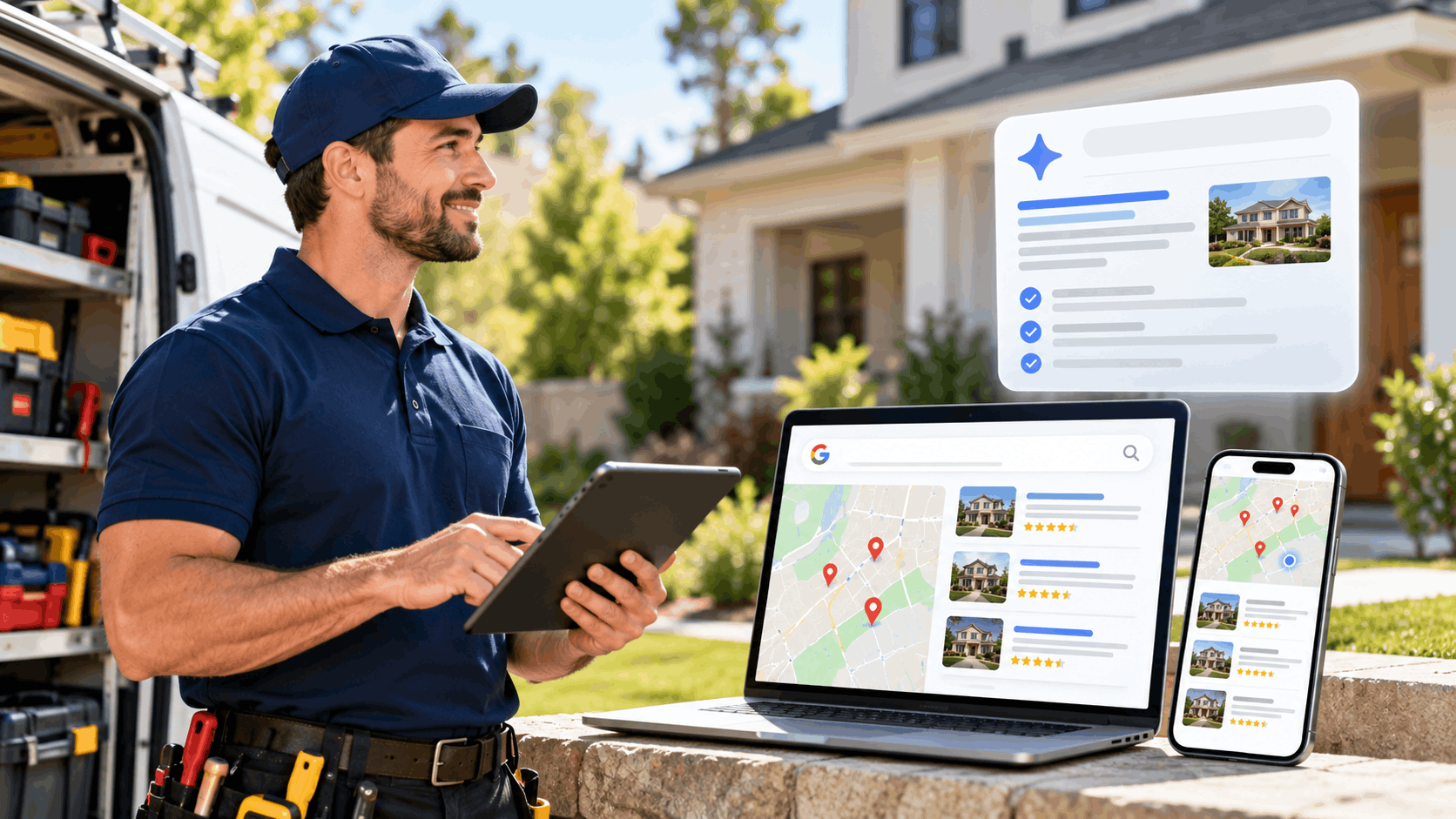
A website only helps if nearby customers can find the business when they search. Local SEO is the plain idea of showing up in local search at the moment someone is looking. No honest provider can promise rankings, but the structure of a site can help.

The way people search locally explains why structure matters so much. They move fast and look at few options. A clear, complete site gives a business its best shot during that short window.

People Decide Fast and Compare Few Businesses

Local customers do not browse for hours. They search, scan a few results, and decide. Showing up with clear information is what earns a spot on their shortlist.

BrightLocal's Consumer Search Behavior 2026 research found that 75% of consumers decide which business to use in under 30 minutes, and 28% decide in under 5 minutes. The window to make an impression is short. A confusing or incomplete site loses in that window.

The same research found that 72% of consumers look at three or fewer businesses before deciding, and only 1% look at more than ten. The shortlist is tiny. A business either makes it or gets skipped.

A clear, complete website is how a business earns one of those few slots. It answers the customer's question fast, with the services, areas, and contact details right where people expect them.

Service and Location Pages Help Google Understand You

Search engines read a website to learn what a business does and where. A page for each service and each town makes that job easy. It spells out the business in a way both people and software can follow.

When every service has its own page, a search engine sees a clear match for that service. When each town has a location page, the engine connects the business to that area. A single page stuffed with everything blurs those signals.

Grow Local builds sites this way on purpose. The service pages give each offering its own full page, and the location pages do the same for each city served. That structure mirrors how customers search, service by service and town by town.

This does not guarantee a top spot, and no one should promise that. It simply gives search engines clear, well-organized pages to understand. Clear structure is a foundation, not a shortcut.

Google Business Profile Connection

A website and a Google Business Profile work best when they agree. The profile is the free listing that appears in Search and Maps. When both show the same name, address, phone, and hours, customers get one consistent story.

Mismatched details cause problems. If the website says one phone number and the profile says another, a customer may call the wrong line or lose trust. Keeping both in sync avoids that confusion.

Grow Local sites come with a Google Business Profile connection, so the website and the profile point to the same business details. The two sources line up. Google itself says complete and accurate information helps a business show up in local results.

The website still does its own job. A profile lives on Maps, while the website holds the detailed service and location pages the business owns. The connection keeps them pointing the same way.

Mobile-Friendly and Fast to Load

Most local searches happen on a phone. Someone standing on the sidewalk or sitting in a car pulls out a phone to find a nearby business. Many search right inside maps apps. A site that only works on a desktop fails those people.

Mobile-responsive design means the site adjusts to fit any screen. Text stays readable, buttons stay tappable, and the layout shifts to look right on a small display. Without it, visitors pinch and zoom, then leave.

Grow Local sites are mobile-responsive by default. They are built to look and work well on phones, tablets, and desktops alike. The call button and contact form stay easy to reach on a small screen.

Speed matters alongside design. A site that loads slowly loses people who are deciding in minutes. A fast, phone-friendly site keeps a visitor on the page long enough to choose the business.

Can You Update the Site Yourself?

A website package is only useful if the owner can keep it current. Details change. Hours shift for a holiday, a phone number updates, a new service gets added. If every small change means calling for help, the site falls behind.

Easy editing from a simple dashboard is what keeps a site accurate. The owner should be able to handle everyday updates alone. That keeps the information customers see correct and current.

Changing Hours, Phone and Services

Business details do not stay still. Hours change with the seasons. A phone line gets replaced. A business drops one service and adds another. These are the edits an owner needs to make often.

When a package makes these changes hard, the site drifts out of date. A customer who sees old hours shows up to a closed door. A wrong phone number means a missed call and a lost job.

The Grow Local dashboard lets owners add or change services, update business hours, and change phone numbers without help. No developer, no support ticket, no waiting. The owner makes the change and it goes live.

That control keeps the site honest. Hours, numbers, and services stay matched to how the business actually runs, which is exactly what customers rely on.

Photos, Logo and Brand Colors

A website should look like the business it represents. That means the owner's own photos, logo, and colors, not stock images and a generic template. Being able to change these without help keeps the site personal.

Fresh photos matter. New work, a remodeled shop, a current team photo all show that the business is active. Swapping in new images should be a quick task, not a project.

From the Grow Local dashboard, owners can upload photos and a logo and adjust colors and design themselves. The brand stays in the owner's hands. A color tweak or a new logo takes minutes, not a call to support.

This control keeps the site feeling current and owned. It looks like the business, run by the business, rather than a cookie-cutter page anyone could have.

Why Wrong Information Drives Customers Away

Nothing loses a customer faster than wrong information. A bad phone number, old hours, or a price that no longer applies breaks trust in a second. The customer moves on to the next option.

BrightLocal's Local Business Discovery and Trust Report from 2023 found that 62% of consumers would avoid a business if they found incorrect information online. That is nearly two in three people walking away over a mistake that could have been fixed in a minute.

This is exactly why easy editing matters. When an owner can update details in moments, the information stays right. When updates are hard, errors sit there and quietly cost business.

The goal is a site the owner can keep accurate without friction. Correct hours, a working number, and current services are the baseline customers expect, and the dashboard is what makes keeping them simple.

Home service contractor using tablet and laptop showing Google local search results

How Fast Does the Site Go Live?

Owners want to know how soon a site is up. Part of that is honest, and part depends on steps outside anyone's control. Building the site is quick. Connecting a domain and showing up in search take longer.

A good package sets clear expectations. It is fair to say a site builds fast, and it is fair to say search results take time. No honest provider promises ranking dates.

See a Preview Before You Pay

The best way to judge a package is to see the result first. A free preview lets an owner view the full site before paying a cent. There is no guessing about what the money buys.

Grow Local builds the preview in real time as the owner answers simple setup questions. There is no technical work involved. The owner describes the business, and the site takes shape on screen.

That preview covers the whole site, not a sample page. The owner can look at the pages, the design, and the layout before deciding. If it is not a fit, there is nothing to cancel.

Seeing the site first removes the risk from the choice. An owner pays only after they already know what they are getting.

The Full Site After Payment

Once an owner pays, the full site is generated automatically. The wait is short. In builds logged from March to May 2026, the median build took 2.7 minutes.

The full site is usually ready within a few minutes of payment. Pages, structure, and design come together on their own. The owner does not assemble anything by hand.

It would be wrong to call this instant, and Grow Local does not. A few minutes is fast, but it is a real process running in the background. The site is built, not conjured.

For an owner, this means the move from preview to live site happens the same day. The bulk of the work is done quickly, leaving the slower steps that follow.

Domain and Search Take Longer

Two steps take longer than the build. The first is connecting a custom domain. DNS changes, the updates that point a web address to the site, need time to spread across the internet. That can take longer than the build itself.

The second is search. Google has to find, read, and index a new site before it can appear in results. Indexing and rankings take time and vary from site to site. No one can promise a date.

This is the honest part of any package conversation. A site can be live in minutes, but showing up in Google is a separate timeline that no provider controls. Beware anyone who guarantees a ranking by a certain day.

Setting this expectation early saves frustration. The build is fast, the domain takes a little longer, and search is a longer game that depends on many things.

Pricing, Contracts and How You Cancel

The real cost of a package is more than the monthly number. It includes setup fees, add-ons, and whether the owner is locked into a contract. A flat price with easy cancellation is worth more than a low number with strings.

Comparing the true cost means looking at the whole picture. The table below lays out what to weigh when putting packages side by side.

What to checkWhy it mattersGrow Local
Monthly priceThe base cost to compare$99 per month
Setup feeA one-time charge some providers addNone
Contract lengthWhether you are locked inNo contract
CancellationHow hard it is to leaveCancel anytime from the dashboard

One Flat Price Versus Surprise Costs

A single flat price is easy to plan around. The owner knows the number every month, with no surprises. That simplicity has real value for a small business watching its budget.

The alternative is a low base price with extras bolted on. Hosting here, SSL there, a setup fee at the start, a support charge later. Those costs add up and make budgeting hard.

Grow Local is $99 per month with no setup fee. That one number covers hosting, SSL, backups, pages, the domain, and updates. There is no separate line for the parts that keep the site running.

When comparing packages, add every charge to the base price. A plan that looks cheaper can end up costing more once the add-ons are counted. A true flat price removes that math.

What Maintenance Can Cost Elsewhere

Keeping a website running is not free when an owner handles it piece by piece. There are costs for upkeep and for the domain that many do-it-yourself setups carry separately.

GoodFirms 2024 survey data put annual maintenance for a small business website at $250 to $1,000, and a domain at about $10 to $15 a year. Those are recurring costs on top of whatever a builder or agency charges.

A flat package can fold those costs into one price. Instead of a maintenance bill and a domain renewal, the owner pays a single monthly figure that includes them. The math gets simpler.

When weighing a cheap builder against a package, count the pieces the cheap option leaves out. Maintenance and a domain are easy to forget until the bills arrive.

No Contract and Easy Cancellation

A long contract turns a bad fit into a trap. If a package does not work, an owner should be able to leave without penalty. No contract is the sign of a provider confident in its service.

Grow Local has no contract. Owners can cancel any time from their own dashboard, on the Account page, using the Cancel Subscription button. There is no phone call, no retention runaround.

A cancellation takes effect at the end of the current billing period. The owner keeps the site through the time already paid for. The dashboard shows the exact date the subscription is set to end, so there is no mystery.

That kind of exit is how an owner knows the provider earns the business each month. Staying is a choice, not a lock-in, and the choice stays in the owner's hands.

Contractor and homeowner reviewing lead tracking data together on laptop computer

Does the Package Help You Track Calls and Leads?

A website should show whether it is working. Seeing calls and form submissions in one place helps an owner understand what the site brings in. But it is worth knowing exactly what those numbers measure.

Good analytics are simple and honest. They count what can be counted and are clear about what they do not track. That clarity is more useful than a big number with no meaning behind it.

Call Clicks and Form Leads in One Place

The Grow Local dashboard tracks calls and form leads together. It shows Call Clicks, which are taps on the website's call button, and contact form leads for the month. Both appear in one view.

The dashboard adds them together as Total Leads. That gives an owner a single monthly figure for how much interest the site is generating. No spreadsheet, no guesswork.

Seeing both in one place makes the site's value easy to grasp. An owner can watch the number across months and get a feel for how the site performs. It turns a website from a mystery into something measurable.

For a non-technical owner, this is the right level of detail. It answers the basic question of whether the site is bringing in contacts, without drowning anyone in charts.

What Counting Clicks Does and Does Not Do

It helps to be clear about what Call Clicks measures. It counts taps on the call button only. When someone on a phone taps the button to dial, that tap is counted.

Grow Local does not record calls or store callers' phone numbers. It is not call tracking in the fuller sense, where calls are logged and numbers captured. The dashboard counts the clicks, and that is the honest limit.

This matters when comparing packages. Some providers blur the line and imply full call tracking when they only count clicks. Knowing the difference keeps expectations realistic.

For most owners, counting call button taps gives a useful signal. It shows interest from the site without recording anyone's call, which also keeps caller privacy intact.

Professional SEO Reports

Numbers are more helpful when they are packaged clearly. Grow Local includes professional PDF SEO reports. They let an owner see how the site is doing without needing technical skill.

A clean report puts the information in plain reach. Instead of digging through dashboards, an owner gets a document that lays out the state of the site. It reads without a background in search or analytics.

This fits the whole point of a self-serve package. The owner stays in control and informed without hiring anyone to explain the data. The report does the explaining.

Paired with the call and form figures, the report rounds out the picture. An owner can see activity on the site and a summary of its health, all without technical training.

Owned Versus Rented: Why a Package on Your Own Domain Matters

There is a real difference between a social profile and a website. A Facebook Page, Instagram account, or Google Business Profile is rented. The platform owns the account and sets the rules. A website on an owned domain is controlled by the business.

That difference becomes clear when an account disappears. Suspensions happen, and when they do, a business that relied only on a rented platform can lose its main channel overnight.

Social Accounts Can Vanish Overnight

Social accounts can be restricted or removed for reasons outside a business's control. In July 2025, TechCrunch reported a mass ban wave hitting Facebook and Instagram accounts and Facebook Groups. Users said some bans were errors and lasted weeks or months, and some lost business accounts.

Even paid subscribers got little help in that wave. For a business whose sales ran through one account, a ban like that cuts off the main line to customers. There is no landlord to appeal to in a hurry.

Government guidance says the same thing. In June 2026, the Queensland Small Business Commissioner in Australia warned that Meta owns the platform and account permissions, that accounts can be restricted for reasons outside a business's control, and that businesses should build their own website.

The lesson is not to abandon social media. It is to not depend on it as the only home for the business. A rented storefront can close its doors without warning.

Google Can Suspend Profiles Too

Google is not immune to this either. Google says it may suspend or disable Business Profiles that do not follow its guidelines. When a profile is removed, the public cannot reach it and the owner cannot manage it.

Owners can appeal, and Google advises against creating a new profile while an appeal is under review. That process can leave a business without its listing for a stretch. The profile is still rented space on a platform Google runs.

Google has also removed services before. Search Engine Land reported that Google's free Business Profile websites were no longer available as of March 5, 2024. Visitors were redirected until June 10, 2024, then shown a page not found error.

Businesses that relied on those free sites lost them when Google shut the service down. A platform can change its mind about a feature, and anyone building only on it goes down with it.

A Website Is the Home Base You Control

The sensible approach is to keep the social and Google profiles but treat them as rented storefronts. They are useful for reach and for being found. They are also outside the owner's full control.

A website on an owned domain is the home base. It holds the detailed service pages, the location pages, and the contact forms. Its content does not depend on one platform's policies. It stays up because the business controls it.

The profiles and the website work together. The profiles help people discover the business, and the website gives them a stable, owned place to land. If a profile is ever lost, the home base remains.

Customers already expect that home base. DreamHost's 2026 Local Business Trust Index found that 39% have declined to visit or buy from a business because it lacked a website. The owned site is both a safety net and an expectation.

HVAC technician in navy uniform using tablet while inspecting outdoor AC unit

A Simple Checklist Before You Buy

Comparing packages gets easier with a short list of questions. The goal is to see past the marketing and find out what each provider actually delivers. Ask the same questions of every option.

Below is a practical way to compare packages and spot the warning signs. It pulls the whole guide into a few points an owner can run through quickly.

Questions to Ask Any Provider

Start with what is included. Is hosting, SSL, and backups part of the price, or billed separately? A package that hides these behind add-ons costs more than it looks.

Ask about control. Can the owner edit the site alone, changing hours, phone, services, and photos from a dashboard? If every change needs a developer, the site will fall behind.

Ask about commitment. Is there a contract, and how does cancellation work? A provider confident in its service does not need to lock anyone in.

Ask about total cost. What does it cost per month, all in, with every fee counted? One honest number beats a low base price surrounded by extras.

Red Flags That Should Give You Pause

Some promises are warning signs. Any provider guaranteeing top rankings or a set amount of traffic is overselling. Search results depend on many things no one controls, and honest providers say so.

Hidden fees are another red flag. If the real price only appears after a few clicks, or SSL and backups carry extra charges, the headline number was not the truth. Add every cost before comparing.

Long contracts deserve a hard look. A multi-year lock-in protects the provider, not the owner. If the service is good, month-to-month should be fine.

Finally, watch for a setup where the owner cannot make a small change alone. Needing a developer for a new phone number or updated hours means the site will drift out of date and quietly cost business.

When Done-For-You SEO Makes Sense

Most owners start just fine with a self-serve builder. A package like Grow Local gives a structured, local-search-ready site that the owner can manage without technical skill. For the majority, that is the right place to begin.

Some businesses later want more hands-off help. Owners who prefer full done-for-you SEO, GEO, and AEO work can upgrade to DM. Digital, the SEO agency from the same company. It is an option for later, not a starting point.

The first move for almost everyone is the same. Start with a self-serve site, get the business online, and keep it accurate from the dashboard. That foundation serves most local businesses well on its own.

The point of this guide is that first step. Pick a package that includes what it should, that the owner can control, and that does not lock anyone in. The rest can come later if it is ever needed.

Making the Right Choice for Your Business

Comparing website packages comes down to a few honest questions. What is actually included, whether the site is built for local search, whether the owner can update it alone, how fast it goes live, and how easy it is to cancel. Run every package through the same checklist and the differences stop hiding.

The research points one way. Customers expect a real website before they trust a business, most competitors already have one, and a rented social profile can vanish overnight. A package on an owned domain, with the pages and structure that help nearby customers find the business, protects that trust.

Grow Local brings those pieces into one flat plan at $99 per month, with no setup fee and no contract. The owner answers simple questions, sees a full preview before paying, and manages everything from a dashboard afterward. To see what the site would look like for a specific business, start a free preview or reach the team at info@getdmdigital.com.

Grow Local Team

Written by Grow Local Team

Editorial

Grow Local helps local service businesses build SEO-ready sites and grow online.

Ready to improve your local visibility?

Get started now and discover local opportunities you're missing.

Get Started Now

No commitment, cancel anytime