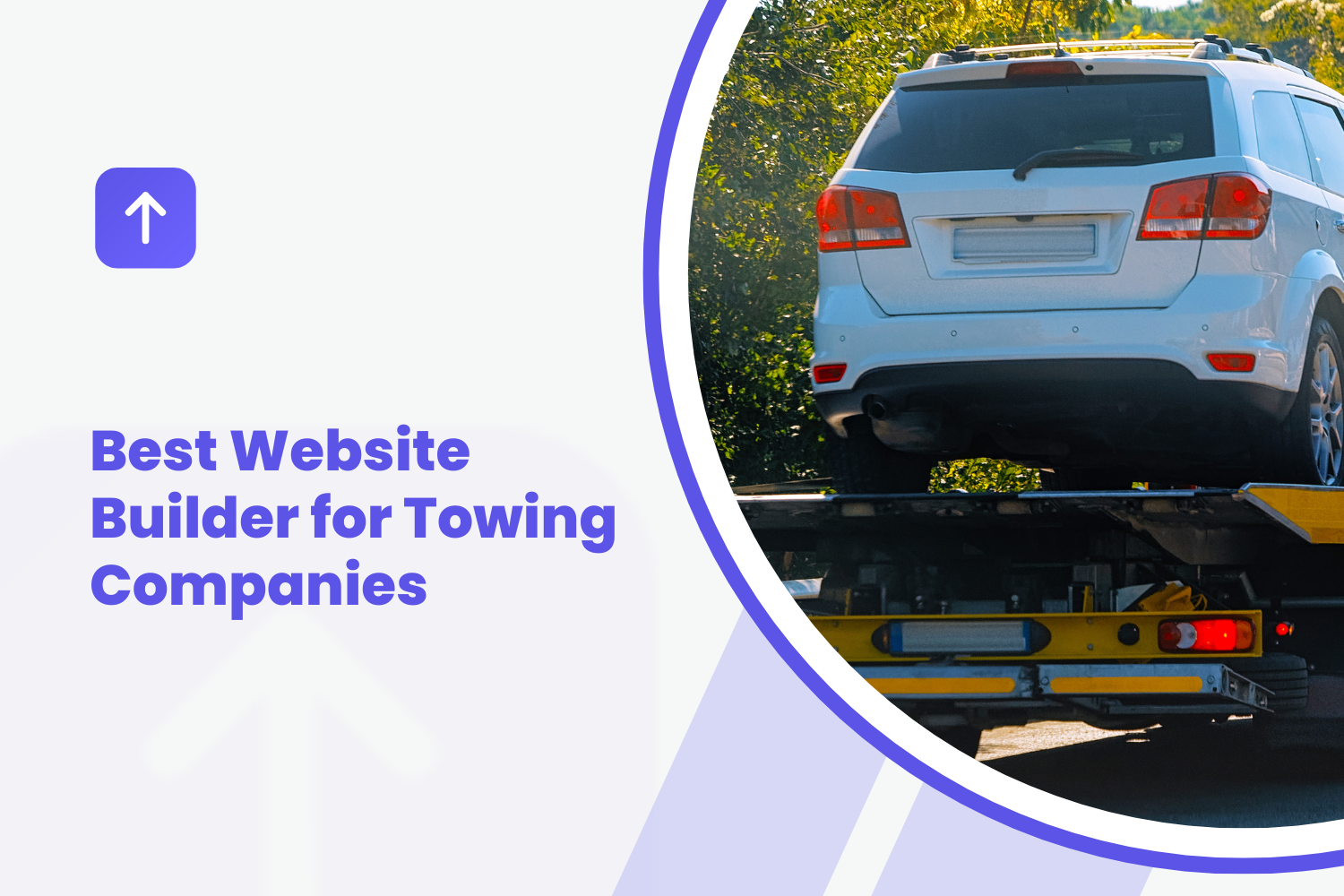
Short answer: the best website builder for a towing company is the one that gets your local SEO for towing in place and lets a stranded driver call you in one tap. That means a phone number that dials from every screen, a page for each type of tow and roadside service you offer, a page for each town and main highway corridor you cover, accurate hours and availability, real photos of your trucks, recent reviews and business details that match your Google Business Profile exactly. Wix and Squarespace start around $17 and $19 a month billed annually and give you design freedom, but you write and build every page. WordPress gives the most control and the most upkeep. Grow Local's towing website builder writes the service and town pages from your answers for $99 a month, with less design flexibility. This guide covers how drivers actually search for a tow, the features that turn searches into calls, local SEO for towing companies, how the main builder options compare and what to put on every page.
Key Takeaways
- 1Towing customers search on phones in stressful moments, so a tappable phone number, service area and hours belong on the first screen.
- 2Local SEO for towing depends on a verified Google Business Profile with your real business name plus a website with a page for each service and main town.
- 3Keyword-stuffed business names break Google's guidelines and can get a towing profile suspended.
- 4Explain what affects towing prices and never advertise 24/7 service or arrival times you cannot deliver.
- 5Wix and Squarespace start around $17 and $19 a month billed annually but you write every page; Grow Local writes the service and town pages for $99 a month with no contract.
- 6Your own website and profile are channels you control, alongside motor clubs, rotation lists and paid leads.
- 01Why Towing Companies Need a Website Built for Calls
- 02Features That Matter Most on a Towing Website
- 03Local SEO for Towing Companies
- 04Comparing Website Builder Options for Towing Businesses
- 05What a Towing Website Should Include
- 06Managing a Towing Website Without Slowing Down Your Day
- 07Writing a Town Page: A Simple Template
- 08Commercial and Fleet Accounts
- 09Building Referral Relationships
- 10Weather and Seasonal Demand
- 11Three Example Towing Businesses
- 12Myths About Towing Websites
- 13Common Towing Website Mistakes
- 14Questions to Ask Before Choosing a Builder or Provider
- 15A 90-Day Plan
- 16Using Google Business Profile Features Well
- 17What Drivers Notice First
- 18Photo Tips for Towing Companies
- 19Turning Calls Into Jobs
- 20Hidden Costs to Watch For
- 21Switching From Your Current Website
- 22A Monthly Routine
- 23How AI Search Fits In
- 24Phone and Accessibility Checklist
- 25Frequently Asked Questions
- 26Final Thoughts
Why Towing Companies Need a Website Built for Calls
Almost nobody shops for a tow at their leisure. Most towing customers are stuck on a shoulder, in a parking lot or in their driveway with a car that will not start. They search on a phone, often with a low battery and a weak signal, and call the first company that looks reliable and available.
How stranded drivers actually search
BrightLocal's 2026 data found 73% of local searches start on a mobile device. For towing, nearly every search does. A typical path looks like this:
- They search "tow truck near me," "towing" plus their town or highway, "jump start near me" or "lockout service."
- They scan the map results for distance, ratings and whether the business is open now.
- They tap one or two listings or websites looking for proof that you handle their vehicle and situation and can get there soon.
- They call. Many call the first company that answers and gives a clear arrival estimate.
Some searches are planned: moving a project car, transporting a vehicle to a buyer, relocating equipment or setting up private property towing for an apartment complex. These customers read more, compare and ask about pricing. Your site should serve both groups.
Why a light, simple site wins
Someone on the side of a highway with a weak signal will not wait for a heavy page full of large photos, sliders and videos. You do not need to chase a perfect speed score, but you should keep photos sized for the web, skip auto-playing video and unnecessary add-ons, and check your own site on your phone in a spot with poor reception. If the phone number and service area show on the first screen before anything else loads, you are doing it right.
The cost of relying only on directories and lead services
Many towing companies get work from motor clubs, roadside assistance programs, police rotation lists, directories and paid lead services. Those can be valuable. The trade-offs are that you do not control the listing, the rates are often set for you and the same customer may see your competitors right next to you. Your own website and Google Business Profile are the channels you control. They let cash customers, local businesses and property managers find you directly, and in DreamHost's 2026 Local Business Trust Index, a vendor survey of 1,201 US adults, 39% said they have declined to buy from a business because it lacked a website.
Features That Matter Most on a Towing Website
One-tap call buttons
Your phone number should be a tappable link in the header of every page, repeated after each main section, and ideally in a call bar that stays visible as the visitor scrolls on a phone. Use text, not an image. Test it on your own phone and make sure it rings the line your dispatcher actually answers.
Service area pages for every town you cover
Drivers search with the name of the town or road they are stuck on. A page for each main town you cover, and for major highway stretches if that is a big part of your work, helps you show up for those searches and reassures the caller that you actually go there.
Quick dispatch and quote request forms
Most emergency customers call, but some cannot talk (in a meeting, on a noisy highway) and some are booking ahead. A short form helps: name, phone, location or address, vehicle, what happened and where it needs to go. A HubSpot analysis of more than 40,000 landing pages found conversion rates fall as form fields are added, so keep required fields to a minimum. Only offer a form for emergencies if someone watches it around the clock.
Trust signals: reviews, photos and credentials
BrightLocal's 2026 survey found 47% of consumers won't use a business with fewer than 20 reviews, 74% want reviews from the past three months and 54% visit a business's website after reading positive reviews. For towing, trust is everything: the customer is handing over their vehicle, often in a stressful moment. Show recent reviews, real photos of your trucks and drivers, your licensing or permit details where your state or city requires them, your insurance status stated accurately and the types of vehicles you are equipped to handle.
Accurate hours and availability
If you run 24/7, say so clearly and make sure your Google Business Profile hours match. If you do not, show your real hours and what callers should do after hours. Never advertise round-the-clock service or arrival times you cannot deliver. A driver who calls at 2 a.m. and gets no answer will leave a review about it.
Local SEO for Towing Companies
Local SEO for towing comes down to your Google Business Profile and your website working together. The profile gets you into the map results. The website gives Google, AI tools and drivers the detail that backs it up.
Google Business Profile basics
Google names relevance, distance and prominence as the main local ranking factors, says businesses "with complete and accurate info are more likely to show up in local search results," and says there is "no way to request or pay for a better local ranking on Google," according to its help page on local ranking. For towing companies:
- Verify your profile and choose the most accurate primary category, such as "Towing service."
- Add secondary categories only for services you actually provide, such as roadside assistance.
- If you do not serve customers at your address, set up as a service-area business, hide your address and list the areas you serve, as Google's guidelines describe.
- Keep hours accurate, including 24-hour service if you offer it.
- Add real photos of your trucks, equipment and drivers.
- Ask every satisfied customer for a review and reply to the reviews you get.
- Use your real business name. Google's guidelines for representing your business say adding extra words such as keywords or towns to your name is not permitted and can lead to suspension. This is a common problem in towing, and suspended profiles lose all their map visibility.
Matching pages to how people search
Drivers search by problem and service, not by "towing solutions." Give each main service its own page:
- Light-duty towing for cars and SUVs
- Medium- and heavy-duty towing, if you have the equipment
- Flatbed towing, including for all-wheel-drive, luxury and low cars
- Motorcycle towing
- Roadside assistance: jump starts, tire changes, fuel delivery and lockouts
- Winch-outs and recovery, such as cars in ditches, mud or snow
- Accident towing
- Long-distance towing and vehicle transport
- Private property and parking enforcement towing, if you offer it and it is permitted in your area
- Junk car removal, if you buy or haul junk vehicles
- Equipment hauling and commercial fleet towing, if you serve businesses
Each page should explain the service, the vehicles it covers, how the job works, what affects the price, the areas you cover and how to call. Google's SEO Starter Guide asks for content that is "helpful, reliable, and people-first" and titles that are unique to each page.
Town and highway pages with real detail
Write each town page with genuinely local information: neighborhoods and major roads you cover, typical arrival times there (only if you can keep them accurate), common situations you handle in that area and nearby jobs you have done. Google's spam policies treat near-identical pages that only swap the town name as doorway pages, so avoid copy-and-paste town pages.
Consistent business details everywhere
Your business name, phone number and address or service area should match on your website, Google Business Profile, Apple Business, Bing Places, Yelp and any directories or motor club listings you control. Inconsistent details confuse drivers and make it harder for search engines to trust your information.
Structured data
Structured data describes your business to search engines in code. Google's LocalBusiness documentation requires only name and address, and the details must match what is visible on your page. It helps Google understand your details, but it is not a ranking shortcut.
Building local authority
Links and mentions from other local websites help show that you are an established local business. Good sources for towing companies include your chamber of commerce, auto repair shops and body shops you work with, dealerships, apartment complexes and property managers you tow for, local sponsorships and local news coverage of community work. Google's spam policies describe buying links that pass ranking credit as link spam, so avoid cheap backlink packages.
Helpful local content
A few practical guides can bring in searches and show expertise: what to do after a breakdown on the highway, how to get your car out of an impound lot in your city, what to know before your car is towed after an accident and how to prepare your vehicle for long-distance transport. Link each one to the related service page.
Comparing Website Builder Options for Towing Businesses
We compared the main options using each vendor's published information. We did not run our own speed or ranking tests, and no platform can guarantee rankings or calls. Prices are as listed in September and October 2026 and change often, so check current pricing. Grow Local is our own product, so we describe its limits as plainly as its strengths.
General DIY builders: Wix and Squarespace
Wix gives the most design freedom, with drag-and-drop editing and an app market for forms, reviews and chat. Wix lists paid plans from $17 to $159 a month billed annually, according to Website Builder Expert in September 2026. Squarespace offers polished templates that stay tidy on phones, and Squarespace lists its Basic plan at $19 a month billed annually or $25 monthly.
Both handle the technical basics: page titles, descriptions, custom domains and HTTPS. Neither builds your local structure. You plan, write and lay out every service and town page. Apps add monthly fees, it is easy to clutter a Wix layout on phones, and Wix says its sites cannot be exported to another host.
WordPress
WordPress.com lists hosted plans from $4 a month to $25 for Business, billed yearly, and self-hosted WordPress needs separate hosting, a theme and plugins. It offers the most control and the most upkeep: updates, security, backups and plugin conflicts. It suits larger towing operations with a developer.
Local-focused and AI builders
Some newer builders are made for local service businesses and use AI to write pages from your answers. Quality varies widely, so check whether you get real service and town pages, whether you can edit them and what is included.
Grow Local is a website builder for local business owners with no technical skills, and towing is one of the 104 industries it supports. You answer simple questions about your services, the towns you cover, your hours and branding, and AI builds 50 or more pages, including service pages and a location page for each town. A preview builds while you answer, and after payment the full site is usually ready within a few minutes. It includes hosting, SSL, backups, a custom domain, a mobile-responsive design and a Google Business Profile connection. The dashboard lets you update services, hours, phone and photos, shows call clicks and form leads, and offers PDF SEO reports. It costs $99 a month on one plan with no contract and no setup fee, and you can preview the full site free before paying.
Its limits: less design freedom than Wix or Squarespace, a higher monthly price than entry DIY plans, no online booking or dispatch system as a listed feature, no call recording and no guarantees on rankings or calls. You still supply photos and should review AI-written pages for accuracy, especially service areas, equipment and hours.
Hiring a web designer
A designer or agency builds a custom site and usually writes the content. Builds take weeks or months and involve an upfront fee: a GoodFirms survey of more than 200 agencies and freelancers put a basic-feature site at about $3,200 on average, and many charge monthly for hosting and changes. Ask who owns the site and domain and how fast changes get made.
Dispatch software with a website
Some towing dispatch and management platforms offer website or online request features. These can tie requests straight into dispatch. The sites are often basic, with little control over service and town pages, and your website may depend on staying with that software. Check current pricing, what you can customize and what happens to your site and domain if you cancel.
Side-by-side
| Wix / Squarespace | WordPress | Grow Local | Designer or agency | |
|---|---|---|---|---|
| Listed price | $17 - $159/month (Wix), from $19/month (Squarespace), billed annually | $4 - $25/month on WordPress.com, billed yearly, plus extras | $99/month, one plan, no contract | About $3,200 average for a basic site, plus monthly fees |
| Service and town pages | You build and write | You or a developer | Written for you | Usually written for you |
| Time to launch | Days to weeks | Days to weeks | Preview while you answer, full site usually within minutes of payment | Weeks to months |
| Google Business Profile connection | Link manually | Link manually or plugin | Built in | Varies |
| Design freedom | High | Highest | Limited | High |
| Ranking guarantees | None | None | None | None, and be wary of any that promise them |
On listed price, DIY builders are cheapest. Once you count the hours to write and maintain fifteen to thirty towing pages, the comparison depends on what your time is worth. One or two cash tows can cover a month of any of these options. The real question is which one gets a complete, accurate site live soonest and keeps it current with the least effort.
What a Towing Website Should Include
A homepage built for the first five seconds
Your homepage headline should say what you do and where: "24-hour towing and roadside assistance in Arlington, Grand Prairie and Irving" (only say 24-hour if it is true). Directly below: a large tappable phone number, a line about typical arrival times if you can keep it accurate, the vehicle types you handle and a few recent reviews. Then short sections linking to each service and your main towns.
Clear service pages for each type of tow
Write each page the way your dispatcher would explain it: what the service covers, which vehicles, what equipment you use, what the customer should do while they wait and how pricing works. End each page with the phone number.
Pricing and response time expectations
An older BrightLocal survey from 2016 found consumers of every age group named prices among the must-haves on a local business site. Towing prices depend on distance, vehicle, time of day and situation, so a single price rarely works. Explain what affects price: hook-up fees, per-mile charges, after-hours rates, winching, waiting time and storage. Say whether you confirm the price before dispatch. Where your city or state regulates towing rates, follow those rules and say so. Honest pricing information builds trust and cuts down on disputes.
An about page that builds local trust
Tell drivers who you are: how long you have been towing, who owns the company, your fleet, your licensing and insurance status where required and the area you cover. Add photos of your drivers and trucks. Customers handing over a vehicle want to know who is coming.
24/7 availability and emergency messaging
If you offer round-the-clock service, make it impossible to miss on the homepage and on every service page. Add a short "while you wait" section with safety basics, such as turning on hazard lights, staying in a safe spot away from traffic and having your registration and insurance details ready. Keep it general and practical.
Private property and impound information
If you do private property towing or run a storage lot, add a page that explains how vehicle owners can find and retrieve their vehicle: lot address, hours, accepted payment, required documents and fees, following the rules in your city or state. Clear information reduces angry calls and complaints, and it helps people searching for exactly that answer.
Roadside assistance pages
Many calls do not need a tow at all. Jump starts, flat tire changes, fuel delivery and lockouts are searched separately ("jump start near me," "car lockout service"), and each deserves its own short page or a clear section on a roadside page. Explain what you can do on the spot, what you cannot (for example, if a tire is damaged beyond a spare change), how pricing works for a service call and when a tow might still be needed. These smaller jobs often turn into loyal customers who call you first next time.
Long-distance and transport pages
Long-distance towing and vehicle transport customers plan ahead and compare. They want to know the distances you cover, whether you use enclosed or open transport, how vehicles are secured, what insurance applies during transport, how pickup and delivery are scheduled and how pricing is calculated. A detailed page with photos of loaded vehicles and a short quote form serves them well. These jobs can be valuable, so make the page as clear and specific as your best emergency page.
Accident towing pages
After a crash, drivers are often shaken and unsure what happens next. A calm, clear accident towing page helps: where you take vehicles, how storage works and what it costs per day, how the customer or their insurer can retrieve personal belongings and the vehicle, and what documents they will need. Follow local rules for accident scenes and rotation lists, and keep the page factual.
Managing a Towing Website Without Slowing Down Your Day
Making quick edits from a phone
You should be able to update hours, add a service area or swap a photo from your phone in a few minutes. Test that before committing to a builder.
Keeping reviews and photos fresh
Add a few new photos every month, such as a flatbed load, a winch-out or a new truck in the fleet. Ask every satisfied customer for a review, and reply to every review, including negative ones, calmly and briefly. Never buy reviews: the FTC's 2024 rule bans fake reviews, including AI-written ones, with civil penalties possible.
Tracking calls and form submissions
Set up Google Search Console to see which searches show your pages and how many people click. Check your Business Profile insights for calls and website clicks. Track call clicks and form submissions from your site, and have your dispatcher ask how each caller found you. Over a few months, you will see which towns and services bring work.
Writing a Town Page: A Simple Template
- Heading: "Towing in Grand Prairie, Texas" or "Tow Truck Service in Grand Prairie."
- Opening: two or three sentences on the towing and roadside services you offer there, your hours and how to call.
- Roads and areas covered: the neighborhoods, highways and interchanges you regularly serve.
- Common calls in that area: breakdowns on a busy corridor, apartment complex lockouts, accident tows near a major intersection, stuck vehicles after storms.
- Services most requested there, linking to each service page.
- A recent job or two with a photo and a short description.
- Reviews from customers in that town.
- A large tappable phone number and a short request form.
If you cannot say anything genuinely specific about a town, cover it on a nearby town's page instead of publishing a thin copy.
Commercial and Fleet Accounts
Steady commercial work can smooth out the ups and downs of emergency calls. If you serve businesses, give them their own page. Delivery fleets, rental car branches, dealerships, repair shops, apartment complexes, property managers and equipment companies all search differently from stranded drivers. They care about reliability, account billing, insurance certificates, response commitments you can actually meet and the vehicle types you can move. Include photos of commercial jobs, list the equipment you run and add a form that asks for company name, fleet size or property address and the services they need.
Building Referral Relationships
Many tows end at a repair shop, body shop or dealership, and those businesses often get asked who to call. A few strong relationships can bring steady work and sometimes a link or mention on their website:
- Auto repair and body shops: deliver vehicles carefully, communicate clearly and ask to be listed as a recommended tow company.
- Dealerships: offer reliable transport for service customers and used-car moves.
- Apartment complexes and property managers: if private property towing is legal and permitted in your area, a professional, rule-following approach builds long-term contracts.
- Insurance agents: local agents often get asked for towing recommendations after accidents.
- Roadside programs and motor clubs: they can fill slow hours, even at lower rates.
A genuine two-way referral relationship is fine. Swapping links with dozens of unrelated websites is not, and Google's spam policies describe excessive link exchanges as link spam.
Weather and Seasonal Demand
Towing demand moves with the weather and the calendar in many markets. Winter storms bring winch-outs, slide-offs and dead batteries. Summer heat brings overheating and tire failures. Holiday travel weekends bring more highway breakdowns. Update your homepage message before each busy period, keep your hours accurate and add a short seasonal guide, such as what to keep in your car in winter or what to do if your car overheats. If you add extra trucks or drivers for storms, say so only while it is true.
Three Example Towing Businesses
A one-truck operator in Arlington, Texas
An owner-operator with one flatbed serves Arlington, Grand Prairie and Mansfield. He gets motor club calls but wants more cash customers. He has a Google Business Profile with 25 reviews and no website, and no time to write. A builder that writes service and town pages from his answers gets him a complete site in an evening. He spends his time asking every cash customer for a review and adding a photo from each interesting job.
A five-truck company outside Atlanta
A family company with an office manager who enjoys design builds on Squarespace. Over two months she writes a page for each of their eight services and seven main towns, adds a private property towing page that follows local rules and posts photos weekly. Their commercial page brings in two apartment complex contracts.
A heavy-duty operation near Denver
A company with heavy wreckers and a large commercial fleet business hires an agency for a custom site that connects to its dispatch software, making sure the contract gives the company ownership of the site and domain.
Each choice fits the business. None of them can skip reviews, real photos, accurate hours and a clean Google Business Profile.
Myths About Towing Websites
"Towing customers don't look at websites, they just call"
Many do call straight from the map results, but plenty tap through to a website first to check that you handle their vehicle and area. Your site also backs up your Business Profile, which helps you appear in the map results in the first place.
"A keyword in my business name will help me rank"
Adding keywords or towns to your Google business name breaks Google's guidelines and can get your profile suspended. Use your real name.
"More town pages always means more calls"
Thin, copied town pages can hurt more than help. Build pages for the towns you actually serve, with real detail.
"An AI-written site will rank automatically"
AI can write pages quickly, but rankings still depend on your Business Profile, reviews, links and local competition. No one can guarantee them.
"Paid leads are enough"
Paid leads and motor clubs can be useful, but they are rented. Your own site and profile build something you keep.
Common Towing Website Mistakes
- A phone number that is not tappable or rings an unanswered line.
- Claiming 24/7 service or arrival times you cannot deliver.
- One "services" page instead of a page per service.
- No town or road names anywhere on the site.
- Copied town pages with only the town name changed.
- Stock photos of trucks that are not yours.
- Hours that differ between the website and the Business Profile.
- Keyword-stuffed business names on listings.
- No information for people trying to retrieve an impounded vehicle.
Questions to Ask Before Choosing a Builder or Provider
- Who writes the service and town pages, and can I edit them?
- Who owns the domain and the site if I leave?
- What is included in the monthly price, and what costs extra?
- How quickly can I update hours and service areas from my phone?
- Does anyone promise rankings? (Be cautious if they do. Google says no one can pay for better local ranking.)
- How will I see calls and form leads from the site?
A 90-Day Plan
- Weeks 1 and 2: verify and clean up your Google Business Profile, fix your business name if needed, match your name and phone everywhere and set up Search Console.
- Weeks 3 to 6: publish a page for each main service and each main town, with the phone number at the top and real truck photos.
- Weeks 7 to 12: ask every cash customer for a review, add a commercial page and an impound or storage page if relevant, and reach out to three repair shops or property managers.
- Every month after: add photos, reply to reviews, check hours and look at Search Console for pages that need work.
Local SEO takes time. Google says changes can take anywhere from a few hours to several months to show up, and new sites usually take longer.
Using Google Business Profile Features Well
Your profile and your website should support each other. Link the profile to your homepage or your most relevant page. List each service in the profile with a short description that matches the service page on your site. Add photos regularly, since Google suggests photos and videos to show customers what you offer. Post updates when you add a truck, extend your hours or expand your service area. Answer common questions, like whether you tow motorcycles or handle lockouts, in the same words on your profile and your website. Keep holiday hours current, since many breakdowns happen on holiday travel days.
What Drivers Notice First
Picture someone on a dark shoulder with hazards on and 15% battery. In the first few seconds on your site, they look for:
- A phone number they can tap immediately.
- Confirmation that you serve where they are.
- Whether you are open right now.
- Whether you can handle their vehicle, such as a flatbed for an all-wheel-drive car or a motorcycle.
- Some sign that you are real and trustworthy: reviews, photos of actual trucks, a local name.
Everything else, from your company history to your blog, comes after the call. Design the top of every page around those five things.
Photo Tips for Towing Companies
Nielsen Norman Group's eyetracking research found users ignore generic stock photos but look closely at real ones. Photograph your own trucks clean and in good light, your drivers in uniform, flatbed loads, winch-outs and heavy-duty recoveries if you do them. Never show a customer's license plate or personal details without permission, and avoid photos of accident scenes that show injuries or identifiable people. Use descriptive file names and alt text, such as "flatbed tow of SUV in Arlington," which Google says help it understand images, according to its image guidelines. Resize photos before uploading so pages stay light.
Turning Calls Into Jobs
The website gets the call. Dispatch decides whether you get the job. Answer quickly, because a driver who reaches voicemail calls the next company. Have whoever answers ask for the location, vehicle, situation and destination, then give an honest arrival estimate and a clear price or price range before sending a truck. Text the customer a confirmation with the driver's expected arrival if you can. Keep a simple log of each call: date, source, service, location and whether it turned into a job. After a few months, that log shows which towns, services and sources are worth your attention.
Hidden Costs to Watch For
- Domains that are free only for the first year.
- Paid apps or plugins for forms, reviews and galleries.
- Introductory prices that rise at renewal.
- Agency monthly fees for small changes.
- Sites that cannot be exported, so leaving means rebuilding.
- Domains registered in someone else's name.
- Websites tied to dispatch software that disappear if you switch.
Switching From Your Current Website
If you already have a site, you can move to a new builder without starting over. Make sure you own your domain. List every page on your current site and its web address. On the new site, keep the same addresses where you can, or set up redirects from old addresses to new ones. Keep your name and phone identical, update your Google Business Profile link if needed and check Search Console for errors in the weeks after the switch. Expect some movement in rankings while Google processes the changes.
A Monthly Routine
- Add three to five new photos of trucks and jobs.
- Ask satisfied customers for reviews and reply to every review.
- Check that hours, phone number and service areas match on your site and Google Business Profile.
- Update any seasonal message, such as winter storm availability.
- Look at Search Console for searches that show your site but get few clicks, and improve those page titles.
- Follow up with one repair shop, dealership or property manager.
How AI Search Fits In
More people ask AI tools for recommendations, though emergency towing searches still lean on the map results. Google says its AI features draw on pages already in Google Search and that there are no special requirements beyond normal SEO, according to its guide to AI features. Yext's analysis of 6.8 million AI citations, vendor research from 2025, found first-party websites were the largest single source at 44%. A clear website with service and town pages, an accurate Business Profile and real reviews help with both.
Phone and Accessibility Checklist
- Phone number tappable on every page, and tested.
- Text large enough to read without zooming, even in bright sunlight.
- Buttons big enough to tap with a thumb.
- High contrast between text and background.
- Descriptive alt text on photos.
- Pages that load reasonably on a weak cellular signal.
Frequently Asked Questions
What is the best website builder for a towing company?
It depends on your time and goals. Grow Local suits operators who want service and town pages written for them. Wix and Squarespace suit owners who enjoy design and writing. WordPress suits larger companies with a developer. An agency suits companies that want a custom site tied into dispatch.
What does local SEO for towing involve?
A verified, accurate Google Business Profile with your real business name, a website with a page for each service and main town, matching details everywhere, steady real reviews, real truck photos and a few local links. No one can guarantee rankings.
How much does a towing company website cost?
Listed prices run from about $4 to $25 a month on WordPress.com, $17 to $159 on Wix billed annually, from $19 on Squarespace billed annually and $99 a month for Grow Local. A GoodFirms survey put a basic agency-built site at about $3,200 on average.
How fast can a towing website be up and running?
DIY sites take days to weeks depending on how much you write. Agency builds take weeks to months. On Grow Local, the preview builds while you answer and the full site is usually ready within a few minutes of payment.
Do towing companies need their own website?
A website you own gives you a channel you control, backs up your Business Profile and lets cash customers, businesses and property managers find you directly instead of only through motor clubs and lead services.
What pages should a towing website have?
A homepage, a page for each service, a page for each main town, an about page, a pricing or "how pricing works" page, a commercial page if you serve businesses, an impound or storage page if relevant and a contact page.
Should my towing website list prices?
Explain what affects price and share ranges if you can, following any local rate rules. Clear pricing information builds trust and reduces disputes.
Can I build and manage the website myself?
Yes, on most builders. Make sure you can update hours, services and photos from your phone in a few minutes, since you will rarely be at a desk.
How do I make my phone number easy to find?
Put it as tappable text in the header of every page, repeat it after each main section and use a call bar that stays visible on phones. Test it on your own phone regularly.
How do I know if my towing website is bringing in jobs?
Track call clicks and form submissions, watch Search Console and your Business Profile insights, and have your dispatcher ask every caller how they found you.
Final Thoughts
A towing website has one job: help a stressed driver call you fast, and give Google enough clear information to show you in the first place. Get the basics right, with a tappable phone number, a page for every service and town, accurate hours, real truck photos, recent reviews and a clean Business Profile, and you will be ahead of many competitors. Wix and Squarespace give you design freedom and leave the writing to you. WordPress gives control and upkeep. Agencies do it for a larger budget. If you would rather stay on the road, the Grow Local towing website builder writes the pages for you, and you can preview your full site free before paying anything.