Back to blog
How-To Guides

How to Add Google Reviews to Your Website Without a Pricey Widget

October 21, 202631 min read
How to Add Google Reviews to Your Website Without a Pricey Widget

Key Takeaways

  • 1You can show Google reviews on your site through free options like linking to your reviews or quoting a fair mix, so a paid monthly widget is not required.
  • 2If reviews are pulled through Google's Places API, Google requires author attribution, Google Maps attribution, a link to each review, and an ordering notice, and content must not be cached.
  • 3The FTC Consumer Review Rule, effective October 21, 2024, bans fake reviews and incentives that require a positive review, with fines up to $53,088 per violation.
  • 4Showing only your five-star reviews is not flatly banned but may be deceptive, so a fair mix linked back to Google is the safer choice.
  • 5Fresh reviews matter to shoppers, with 74% wanting reviews from the past three months, so a steady asking habit keeps any display current.
  • 6Google strictly prohibits discounts or freebies for reviews, asking only happy customers, and staff review quotas.
  • 7Grow Local sites come with a Google Business Profile connection so the website and profile point to the same details, though Grow Local does not create or manage the profile.
  • 8Grow Local is $99 per month with no contract, no setup fee, included hosting and a custom domain, and a free preview before paying.

A local owner finishes a great job, and a happy customer leaves a glowing Google review. The owner wants that review front and center on their own website, where new visitors can see it. Then a service quotes a monthly fee for a fancy review widget, and suddenly a simple idea has a recurring bill attached.

That bill is not always necessary. There are honest, rule-friendly ways to show real reviews on a site, and some of them cost nothing at all. The trick is knowing what Google asks for, what the FTC bans, and which display methods keep an owner on the safe side.

Woman smiling while reading five-star Google reviews on laptop at home desk

Why Owners Want Their Google Reviews On Their Own Website?

Reviews are earned, one customer at a time. When an owner collects dozens of honest ratings on Google, it makes sense to want that social proof working on the website too, not just on a listing page. A website is the one place online a business fully controls, so review display there reinforces every other page.

The instinct is sound. Reviews answer the quiet question every visitor has: can I trust these people? Showing them on the site keeps that answer close to the services, the prices, and the contact form, instead of asking a visitor to go hunting on Google and never come back.

The problem is that many review widgets charge a monthly fee to do something owners can often handle more simply. Here is a plain look at the common ways to show Google reviews on a website and what each one trades off.

MethodTypical CostTrade-off
Link to your Google reviewsFreeVisitors leave the site to read them
Quote a few reviews with attributionFreeYou update them by hand
Live feed through Google's APIVariesMust meet Google's attribution rules
Paid review widgetRecurring feeA separate bill every month

Reviews Build Trust Before A Visitor Calls

Most shoppers read reviews before they ever pick up the phone. They want to know that other people in their position had a good experience, and they form a first impression from those words long before meeting anyone. That is the job reviews do: they lower the risk a stranger feels about hiring an unfamiliar business.

The numbers back up how closely reviews tie to a website visit. BrightLocal's Local Consumer Review Survey 2026, which polled 1,002 US adults and was published in February 2026, found that after reading positive reviews, 54% of consumers visit the business's website. Another 24% go to its social media channels.

That flow runs both directions. Someone who reads reviews on Google often lands on the website next, and someone who starts on the website wants to see proof there too. Showing a fair slice of real reviews on the site keeps that trust from leaking away during the trip between two pages.

Social proof works best when it sits near a decision. A review quote placed close to a service description or a contact form reminds a visitor, at the exact moment they are weighing a call, that other customers were glad they reached out.

Fresh Reviews Carry More Weight Than Old Ones

A five-year-old review tells a visitor what a business used to be like. A review from last month tells them what it is like now. Shoppers know the difference, and they lean on recent feedback far more than old praise.

BrightLocal's 2026 survey found that 74% of consumers want reviews from the past three months, and 44% say a review posted within the last month is an important factor. Recency has been climbing. The same survey found 32% now look for reviews from the last two weeks, up from 20% the year before.

This is where a live display beats a pasted copy. Reviews pasted into a page as plain text freeze in time. They were current the day they were added, and they slowly go stale as newer, better feedback arrives on Google that the website never shows.

A feed that pulls from Google stays current on its own. As new reviews come in, the display updates, so the website keeps pace with what shoppers actually want to see. That is a strong reason to favor a live method over a one-time copy-and-paste.

Where Paid Widgets Add Monthly Cost

A review widget is a small block of code that sits on a web page and pulls in reviews to display them, usually in a scrolling strip or a grid of cards. It fetches the reviews, shows the stars, and keeps the display looking tidy. Done well, it is genuinely useful.

The catch is the price. Many widget providers charge a recurring monthly fee for that convenience, on top of whatever an owner already pays for their website and hosting. For a single display block, that cost adds up over a year.

None of that is wasted if the widget follows the rules and stays current. But plenty of owners do not need a separate paid service to show their reviews honestly. The free and low-cost paths below handle the same goal.

The aim here is simple: show real reviews on the site, keep them honest, follow Google and the FTC, and avoid a separate monthly widget bill wherever that is reasonable. The sections ahead lay out exactly how.

The Rules You Have To Follow Before You Display Reviews

Showing reviews is allowed, but it is not a free-for-all. Google sets conditions on how its review content can be used, and the FTC has a federal rule about how reviews are presented in marketing. Knowing both keeps an owner on solid ground.

None of this is as scary as it sounds. The rules mostly come down to giving credit, linking back to the source, and being fair about what you show. Follow those three ideas and most of the detail falls into place.

Here is the practical breakdown of what Google requires, what the FTC warns against, and the safer path that keeps a display honest.

What Google Requires If A Widget Pulls Reviews Through Its API

When reviews are displayed through Google's Places API, which is the official pipe that feeds Google content to other sites, Google attaches conditions. The first is author attribution. At a minimum, each review needs the reviewer's avatar shown alongside it.

Google also requires Google Maps attribution, meaning the display has to make clear the reviews come from Google. On top of that, each review needs a link to that review on Google Maps, so a visitor can click through to the source and confirm it is real.

There is one more piece: a notice explaining how the reviews are ordered. If a display sorts reviews in some way, that ordering has to be disclosed so the arrangement is not misleading. Those four items work together to keep the display honest and traceable.

Google also states that Places content must not be cached or stored beyond allowed exceptions. In plain words, a site is not supposed to save copies of that content and hold onto them indefinitely. That rule shapes which display method is safer, as the next section explains.

Why Pasting Copies Of Reviews Is Riskier Than A Live Feed

Copying a review and pasting it into a page as permanent text is the method that bumps up against the caching rule. Because Places content is not meant to be cached or stored beyond allowed exceptions, holding static copies on your pages carries more risk than pulling reviews live.

A live feed sidesteps that problem by fetching reviews fresh rather than storing them. The content is displayed as it is pulled, which fits the spirit of the rule better than a saved copy sitting on a page for years.

This is a case where the safer method also happens to be the better one for owners. A live feed stays current, meets the recency shoppers want, and avoids the storage question all at once. A pasted block does none of those things.

If an owner really wants to quote a review by hand, there is a safer version of that too, covered further down. The point here is that unlimited copying and permanent storage is the path to avoid.

What The FTC Says About Showing Only Your Best Reviews

The federal side comes from the FTC Consumer Review Rule, which took effect on October 21, 2024. It bans things like fake reviews and suppressing honest ones through threats or groundless legal action. Those are the clear-cut violations.

Featuring only your best reviews is a grayer area. The review rule does not flatly ban cherry-picking your top ratings for marketing. But the FTC has signaled that showing only glowing reviews may still be deceptive, because it paints a picture that does not match reality.

Sorting reviews by star rating can run into the same problem. If a display is arranged so the five-star reviews dominate and the critical ones are buried, that ordering can mislead a visitor about what customers actually think.

The safe read is simple. The FTC is less interested in whether a review is positive and more interested in whether the overall display gives an honest impression. A fair presentation protects an owner far better than a wall of hand-picked praise.

A Fair Mix Linked To The Source Is The Safer Choice

Putting Google's rules and the FTC's warning together, the safest display shows a fair mix of reviews and links clearly back to the source. A visitor should be able to click through and see the full set on Google, not just the slice an owner chose.

This matches what Google itself says. A mix of positive and negative reviews often feels more trustworthy than a spotless row of five stars. Shoppers are suspicious of perfection, and a stray three-star review with a thoughtful owner reply can read as more credible than flawless praise.

Linking to the source does double duty. It satisfies Google's attribution requirement, and it reassures a visitor that nothing is being hidden. Anyone who wants the full story is one click away from it.

A fair mix is not about dwelling on complaints. It is about presenting an honest snapshot, with a clear path back to Google, so the display holds up to both the rules and a skeptical reader.

Smiling couple reviewing customer testimonials together on laptop at wooden desk

Free And Low-Cost Ways To Show Reviews On Your Site

With the rules clear, the good news is that honest review display does not require a monthly widget subscription. There are several affordable ways to show reviews, and each one suits a different owner and a different site.

Some methods are free and simple. Others take a little more effort or a developer's help but give a richer display. The right pick depends on how many reviews an owner has, how much upkeep they want, and how polished the display needs to look.

Here are the main options, with the trade-offs laid out plainly so an owner can choose.

Link Visitors Straight To Your Google Reviews

The simplest free option is a button or link that sends visitors straight to the reviews on Google. No widget, no feed, no code to maintain. Just a clear invitation to read what customers have said.

Getting that link is easy. On a computer, not a phone, an owner opens their Google Business Profile, picks "Read reviews," then "Get more reviews," where they can copy a review link. That same area is where the review link and QR code live.

A link like this carries almost no risk because it does not store or display Google content on the site at all. It simply points a visitor to the source. The attribution and ordering concerns do not apply when the reviews stay on Google.

The trade-off is that visitors leave the website to read the reviews. Some will not come back. For an owner who wants to keep people on the page, the quote method or a live feed does more, but for pure simplicity and safety, a direct link is hard to beat.

Quote A Few Reviews With Clear Attribution And A Link Back

A step up from a plain link is to feature a small, fair selection of real reviews as quotes on the page. Each quote shows the reviewer's name and links to that review on Google Maps, so a visitor can confirm it is genuine.

The honest way to do this is to resist cherry-picking. Pulling only the five-star quotes and ignoring everything else is exactly the kind of lopsided display the FTC warns against. A mix that reflects the real spread of feedback is both safer and more believable.

Attribution matters here. A quote with a name and a link back to Google reads as real. An anonymous rave with no source reads as something an owner could have made up, which undercuts the trust the quote was meant to build.

This method takes a little hand-work, since an owner updates the quotes themselves rather than having them refresh automatically. The payoff is control over presentation and the ability to place a strong, honest quote right where it does the most good on the page.

Use A Live Feed That Follows Google's Attribution Rules

For owners who want reviews that update on their own, a live feed is the richer option. It pulls reviews through Google's Places API and displays them on the site, refreshing as new ones arrive so the display never goes stale.

A live feed has to meet Google's requirements to stay compliant. That means author attribution with at least the reviewer's avatar, Google Maps attribution, a link to each review on Google Maps, and a notice explaining how the reviews are ordered. A well-built feed handles all four.

The caching advantage is real. Because a live feed pulls content fresh rather than storing permanent copies, it fits Google's rule against holding Places content beyond allowed exceptions. That makes it a cleaner choice than pasting static copies into pages.

The trade-off is setup. A live feed usually needs a developer or a tool to connect to the API correctly, and some tools charge for it. An owner weighing this against a hand-updated quote block should think about how much they value automatic freshness versus simplicity.

Add A Star Rating Badge That Points To Google

A lightweight middle ground is a star rating badge. This is a small element that shows an overall rating, often as a row of stars and a number, with a link to the full reviews on Google. It takes up little space and loads fast.

A badge is useful because it gives a visitor a quick signal without filling the page. Someone scanning a service page sees the rating at a glance and knows real reviews are a click away if they want detail.

Even a simple badge should respect the rules. If it uses Google content, it needs the required Google Maps attribution and a link back to the reviews on Google. A badge that implies a rating without pointing to the source does not give a visitor a way to verify it.

Pair a badge with a few honest quotes or a live feed and a page gets both a fast signal and the detail to back it up. On its own, a badge is a tidy, low-effort way to show credibility near the top of a page where it catches the eye early.

How The Website And Your Google Profile Work Together

The website and the Google Business Profile are two different tools doing two different jobs. One is a listing on a platform Google runs. The other is a site the business owns. They work best when they point to the same business and the same details.

Getting that relationship right matters for how reviews flow and how Google understands a business. When the two line up, they reinforce each other. When they conflict, they create confusion for both visitors and search engines.

Here is how each piece fits and why keeping them in sync pays off.

What A Google Business Profile Shows On Its Own

A Google Business Profile is the free listing a business gets on Google Search and Maps. It holds the hours, the photos, the contact details, and the reviews. For many local businesses, it is the first thing a searcher sees.

The reviews live on the profile, not on the website. When a customer leaves a review, it attaches to the profile, and that is where Google stores and displays it. The website does not hold the reviews itself; it points to them.

That division is why the display methods above all involve pointing back to Google. The profile is the home of the reviews, and any website display is a window onto that home, not a separate copy of it.

A profile is genuinely useful on its own. It shows up on Maps, it takes direction requests, and it collects reviews without any website at all. But it gives an owner limited room to explain each service in detail, which is where the website earns its place.

Keeping Name, Hours And Phone The Same On Both

When the business name, address, phone, and hours match across the profile and the website, Google sees consistent, complete information. Google says businesses with complete and accurate info are more likely to show up in local search results.

Mismatches cause trouble. If the phone number on the website differs from the one on the profile, or the hours disagree, a visitor gets confused and Google gets a weaker signal about which details are correct. Keeping them identical removes that doubt.

This is not a one-time task. Hours change for holidays, a phone number might update, a business might add a service. Each time something changes, it has to change in both places so the two never drift apart.

Consistency is quiet but it adds up. A business that keeps its details matched across the profile and the site presents a single, clear picture to Google and to every customer who checks.

A Built-In Connection Keeps Both In Sync

Grow Local sites come with a Google Business Profile connection, so the website and the profile point to the same business details. That connection keeps the two aligned instead of leaving an owner to match everything by hand.

This does not mean the website takes over the profile. Grow Local does not create, verify, or manage the Google Business Profile for an owner. The profile stays the owner's to control on Google; the connection simply links the website to it.

The value is in the alignment. When the site and the profile share the same name, hours, and contact details, both tell Google the same story. That consistency supports the complete and accurate info Google rewards in local results.

For an owner juggling both tools, a built-in connection is one less thing to track. The dashboard is where business info gets updated, and keeping it current there keeps the whole picture tidy.

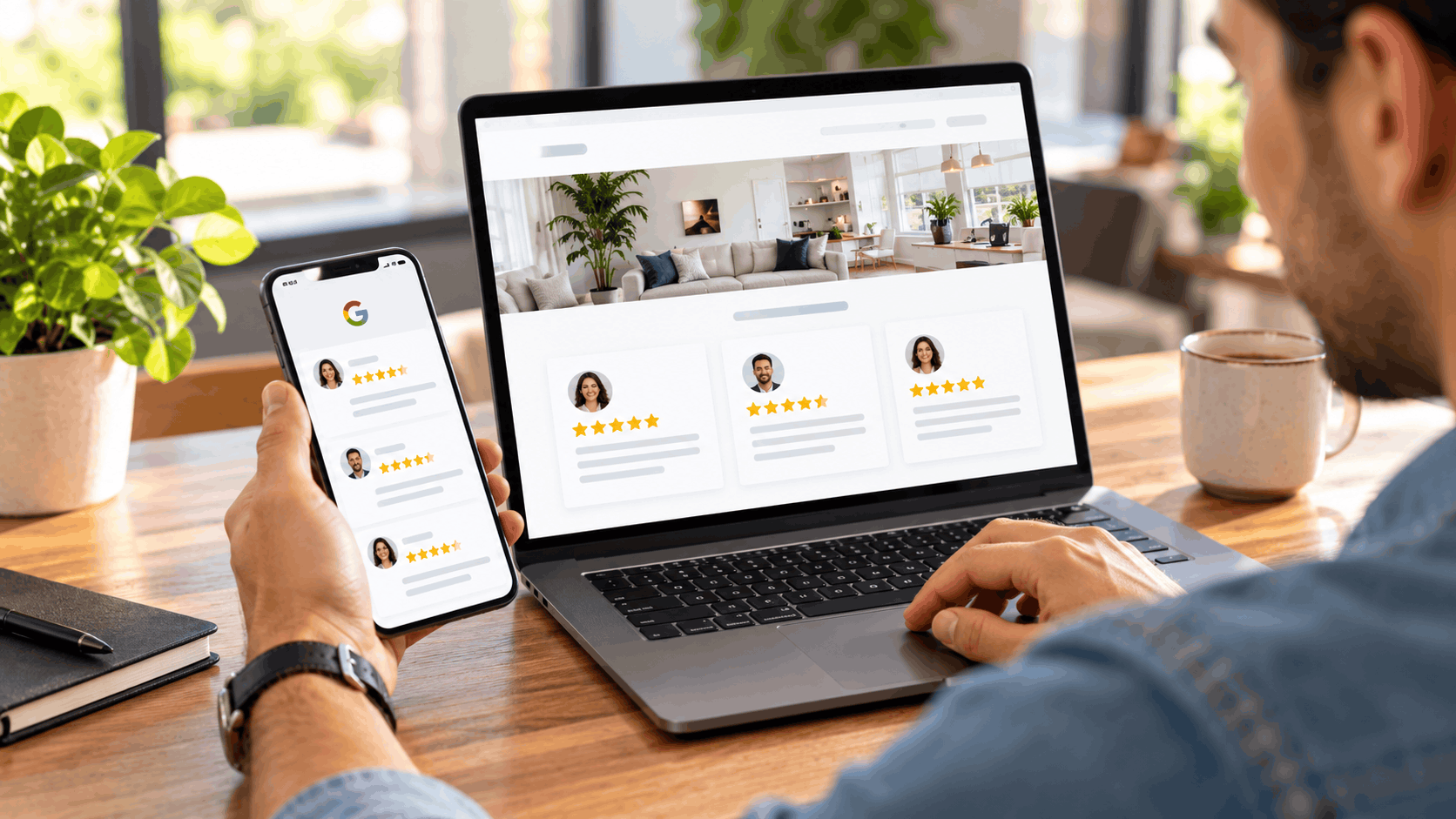
Man browsing Google reviews on phone while viewing five-star customer reviews on laptop

Getting More Reviews To Display In The First Place

Some owners hit a simpler wall: they do not yet have enough reviews to show. A display needs reviews to display, and the way to get them is to ask, within the rules, on a steady schedule.

Asking works, and it is allowed as long as it is done fairly. The rules draw a clear line between reminding every customer to review and bribing or pressuring only the happy ones. Stay on the right side of that line and reviews accumulate naturally.

Here is how to build a review habit that fills the display and keeps it fresh.

Grab Your Review Link And QR Code

The first step is grabbing the tools Google gives you. On a computer browser, not a phone, open the Google Business Profile, pick "Read reviews," then "Get more reviews." There an owner can copy a review link or save a QR code.

A QR code is a square pattern a customer scans with their phone camera. Google added the review QR code in March 2025, and scanning it opens the review form directly, so a customer goes straight to writing a review without hunting for the page.

The QR code can only be created on a computer browser, not on the phone app, so an owner needs to set that up at a desk. Once saved, it can be printed and displayed anywhere customers are.

Google suggests putting the link or code on receipts, in thank-you emails, at the end of a chat, or printed in the store. The easier it is for a customer to reach the review form, the more likely they are to follow through.

Ask Every Customer The Same Way

Google's advice is simple: remind customers and hand them the link right after the job is done or at checkout. Asking right after the work, when the experience is fresh, catches a customer at the moment they are most willing to help.

The important part is asking every customer the same way. That keeps an owner from picking only the people they expect to be happy, which is both against the rules and a distorted way to collect feedback. Same ask, every time, no sorting.

Asking genuinely moves the needle. BrightLocal's 2026 survey found that 78% of consumers were asked for feedback by a business in the past 12 months, and 28% say they will always write a review if asked. A steady ask turns a fraction of every job into a new review.

Build it into the routine. A line at checkout, a card with the QR code, a follow-up text with the link. When the ask is automatic, it does not depend on an owner remembering, and the reviews keep coming.

What You Cannot Do: Incentives And Gating

The rules draw hard lines, and crossing them puts a business at risk. Google strictly prohibits offering free or discounted goods or services in exchange for a review. A discount for a review is off the table, full stop.

Review gating is also banned. That means an owner cannot ask only happy customers for reviews while steering unhappy ones elsewhere. Google added the anti-gating language to its guidelines on April 12, 2018, as reported by Sterling Sky, and it bans selectively soliciting positive reviews.

Staff quotas fall under the same umbrella. Google bans telling staff to collect a set number of reviews or to ask for reviews with specific content, such as naming a particular employee. That change was first reported in April 2026.

The federal rule adds teeth. The FTC Consumer Review Rule, effective October 21, 2024, bans incentives that require a positive review. Courts can fine knowing violations up to $53,088 per violation, an amount adjusted for inflation each year. Honest asking is the only safe path.

Why Fresh Reviews Need A Steady Habit

Recency ties directly back to display. A review feed looks alive only if new reviews keep arriving. A big burst of reviews one month, then silence, leaves a display that ages badly as the months pass.

A few honest reviews every month beat a flood once a year. Steady arrivals keep the display current, and they match what shoppers want, since a strong majority look for reviews from the past three months. A steady habit feeds both the display and the expectation.

New reviews do not appear the instant a customer posts them. They can take a few days to show up while Google checks them. That delay is normal, and reviews removed as spam are not restored, so honest reviews are the only ones worth chasing.

The steady ask is what sustains the whole system. Keep asking every customer, keep the reviews trickling in, and the display stays fresh on its own. Stop asking, and the feed slowly stales no matter how good the old reviews were.


Replying To Reviews So Your Display Looks Alive

A review display is not just about the reviews. It is also about the owner replies underneath them. Replies show a business is paying attention, and they make any reviews shown on the site read as active and cared for rather than abandoned.

Customers notice replies, and they expect them. A review with a thoughtful owner response signals a business that stands behind its work. A pile of reviews with no replies signals one that stopped listening.

Here is why replies matter, how to write good ones, and how long they take to appear.

What Customers Expect From A Response

Shoppers now treat owner responses as part of the deal. BrightLocal's 2026 survey found that 89% of consumers expect owners to respond to reviews. Responding is no longer a nice extra; it is what people assume a real business does.

Responding pays off in willingness to use a business. The same survey found 80% of consumers are likely to use a business that responds to all its reviews. Replying to everyone, not just the complaints, builds a broad signal of attentiveness.

Silence carries a cost. BrightLocal found 42% of consumers are unlikely to use a business that never replies. A wall of unanswered reviews, even positive ones, can push a cautious shopper toward a competitor who clearly engages.

These numbers are self-reported, meaning they reflect what people say they do rather than measured behavior. Even so, the direction is clear. Replying is what customers expect, and a display that shows replies reflects a business that meets that expectation.

Google's Tips For Short, Honest Replies

Google offers plain guidance on replies, and it is worth following. Respond in a timely manner, keep replies short, and avoid pasting the same "thank you" under every review. A generic, repeated reply reads as a script, not a response.

Google also says not to use replies for deals or promotions. A review reply is not an ad slot. Pushing a coupon in a response undercuts the goodwill the reply was meant to build and runs against Google's guidance.

For negative reviews, the tips sharpen. Never share a reviewer's private information, never make personal attacks, and apologize when it fits. Using the person's name and inviting them to call or email moves the conversation off the public page toward a real fix.

Replies are public and posted as the business, not as a named person. The reviewer is notified when a reply goes up. That public, on-the-record nature is exactly why a calm, short, honest reply serves a business better than a defensive one.

How Long A Reply Takes To Appear

A reply does not always post the instant it is written. Google checks replies first. According to Google Business Profile Help as of October 2026, approval usually takes up to 10 minutes but can sometimes take up to 30 days.

Most replies clear quickly, within that short window. The longer delay is the exception, not the rule, but an owner who does not see their reply appear right away should not panic or post it twice. The review process just takes its time on occasion.

A business must be verified to reply at all. Verification is Google confirming the business is real and the owner controls the profile. Without it, the reply option is not available, so verification comes first.

Knowing the timing helps an owner plan. A reply written today may show up in minutes or may sit in review for longer. Either way, writing it promptly after a review arrives is what keeps the display looking current and tended.

Why A Mix Of Reviews Reads As Honest

A perfect row of five-star reviews can read as too good to be true. Google itself says a mix of positive and negative reviews often feels more trustworthy. Shoppers are wary of flawless, and a stray critical review can actually build credibility.

Thoughtful replies are what turn a negative review from a liability into a strength. A calm, helpful response to a complaint shows a visitor how the business handles problems. That is often more persuasive than any amount of praise.

This strengthens whatever reviews are shown on the site. A display that includes a measured negative review with a gracious owner reply reads as honest. It tells a visitor the positive reviews are real, because the business clearly did not scrub the critical ones.

Handling negatives well is a skill worth practicing. Acknowledge the issue, apologize where it fits, and offer to make it right offline. Done consistently, it makes the entire review profile, and any display pulled from it, read as the record of a real, responsive business.

Woman reading customer reviews with star ratings on rental property website

Reviews, Your Website And Getting Found In Search And AI

Reviews and a website both feed into how a business gets found, on Google and in the AI tools more people now use to find local help. The connection is real, but it comes with honest limits. No one can promise a top spot.

Understanding where reviews fit, and where they do not, keeps expectations grounded. Reviews help in specific ways, a clear website helps in others, and time plays a part in both. None of it is a switch that guarantees a ranking.

Here is the honest picture of how reviews, the website, and search and AI relate.

How Reviews Factor Into Local Prominence

Google ranks local results mainly on relevance, distance, and prominence. Prominence is how well-known a business is, and Google says it draws on factors including how many reviews a business has. More reviews can feed into that signal.

That does not make reviews a lever an owner can pull for a guaranteed climb. Google is clear that there is no way to request or pay for a better local ranking. Reviews are one input among many, not a shortcut.

Honest expectations matter here. Collecting reviews is worth doing for the trust they build and the role they play in prominence. But an owner should not treat a review count as a dial that sets their position. It does not work that way.

The steady habit from earlier is the right approach. Keep asking, keep replying, let the reviews accumulate honestly. Over time that supports prominence, alongside everything else Google weighs, without any promise of exactly where a business lands.

What Experts Say About Reviews And The Local Pack

Industry experts have opinions on how reviews affect the local pack, the box of local results Google shows. Whitespark's 2026 Local Search Ranking Factors survey, based on 47 experts and published in November 2025, ranked quantity of Google reviews with text at #9 and recency of reviews at #11.

These are expert opinions, not measured results. The survey asks specialists what they believe matters, which is useful but not the same as a controlled study. The ranks reflect informed guesses, so they should be read as guidance rather than proof.

A separate finding adds nuance. A LocalSEOGuide study, as summarized by GatherUp in April 2025, found that star ratings appeared to have virtually no ranking impact, while review volume and recency mattered more to consumers than to the algorithm. That summary is secondhand, so it carries its own caveat.

Taken together, the honest read is that reviews likely help in the ways experts suspect, with volume and recency carrying more weight than the star number itself. None of it is a guarantee, and no expert claims a review count sets a ranking by itself.

Why A Clear Website Helps AI Tools Cite You

More shoppers now ask AI tools for local recommendations, and those tools lean on web pages to answer. Google's AI Overviews and AI Mode surface links to pages already in Google Search, and ChatGPT gives answers with links to relevant web sources. A clear website gives them something to cite.

There is no secret code required. Google Search Central, in guidance updated December 2025, says there are no additional requirements or special optimizations necessary to appear in AI Overviews or AI Mode, beyond being indexed and eligible to show with a snippet in Google Search.

What helps is plain clarity. A site that says in simple words what a business does, which towns it serves, and what it offers gives both Google and AI tools clean pages to pull from. Detailed service pages do exactly that.

Placement is never guaranteed, by any tool. OpenAI says placement in ChatGPT's results is not guaranteed, and Google promises no given page will be cited. The honest takeaway is that a clear website gives AI tools something to work from, which is the most an owner can control.

The Simple Way To Get Reviews On Your Site Without A Widget Bill

Pulling it all together, an owner does not need a separate paid widget to show reviews honestly. A straightforward site build can handle review display and the Google connection as part of one service, without a recurring widget fee stacked on top.

That is how Grow Local is set up. It is a website builder for local business owners with no technical skills. The owner answers simple questions and AI builds the whole site, which comes ready for local search and connected to the Google Business Profile.

Here is how that works in practice, from the profile connection to the price to the free preview.

A Site That Connects To Your Google Profile

Grow Local sites come with a Google Business Profile connection, so the website and the profile point to the same business details. The reviews that live on the profile, and the display methods that link back to them, all tie to the same business record.

That connection keeps the two tools aligned without an owner matching everything by hand. When the site and the profile share the same name, hours, and contact details, they tell Google and visitors a single, consistent story.

The connection does not take over the profile. Grow Local does not create, verify, or manage the Google Business Profile. The profile stays the owner's to control; the website simply links to it so both reflect the same details.

For review display, this matters. A link, a badge, or a feed all point back to the profile, and a connected site keeps that relationship clean. The business a visitor sees on the website is the same one they find on Google.

One Flat Price With Hosting And A Custom Domain

The pricing is a single plan: $99 per month. No contract, cancel anytime, and no setup fee. An owner pays one flat price rather than piecing together a site, hosting, and a separate review widget subscription.

That price includes a lot. Hosting, SSL, backups, AI-generated pages, analytics, and reports all come with the plan. A site runs to 50 or more pages, with service pages and location pages for up to eight cities served.

A custom domain is part of it too, with automatic SSL, which is the security that puts the padlock in a browser. The whole site is built mobile-responsive, so it reads well on a phone where many local searches happen.

There is no separate widget subscription on top. The review display approaches covered here, linking to Google, quoting honestly, or using a connected feed, do not require an extra monthly bill when the site is built to handle them. One price covers the site that holds it all.

See A Free Preview Before You Pay

Before paying anything, an owner gets a free preview of the full site. It is built in real time while they answer the setup questions, so they watch it take shape from their own answers rather than imagining what it might look like.

There is no setup fee and no commitment to see it. The owner answers simple questions about their business, and the preview appears. If it is not right, nothing has been spent.

After payment, the full site is generated automatically, usually ready within a few minutes. Connecting a custom domain can take longer, because the behind-the-scenes address changes need time to spread across the internet. Google indexing and rankings take longer still and vary, so no ranking date is ever promised.

The preview lets an owner judge the result before deciding. They can see the design and templates, the service pages, and the structure, all built from their own business, and only then choose whether to go ahead.

Woman smiling while reading five-star Google reviews on laptop at desk

Show Your Reviews The Honest Way And Skip The Widget Bill

Earned reviews deserve a place on a business website, and getting them there does not have to mean a monthly widget subscription. The honest options run from a simple link to Google, to a fair selection of quotes with attribution, to a live feed that follows Google's rules on author credit, source links, and ordering.

The rules are the guardrails. Google requires attribution and warns against storing its content, the FTC warns against a lopsided, best-only display, and a fair mix linked back to the source keeps a business on safe ground. Keeping the website and the Google profile in sync, replying to reviews honestly, and asking every customer the same way all feed a display that reads as real and current.

Grow Local builds a site that connects to your Google Business Profile and holds your service and location pages, for $99 per month with no contract and no setup fee. Answer a few simple questions, watch the free preview build in real time from your own business details, and see the result before you pay anything. Visit growlocal.build to start your preview, or email info@getdmdigital.com with your questions.

Grow Local Team

Written by Grow Local Team

Editorial

Grow Local helps local service businesses build SEO-ready sites and grow online.

Ready to improve your local visibility?

Get started now and discover local opportunities you're missing.

Get Started Now

No commitment, cancel anytime