Short answer: schema markup is a small block of code on your website that labels your business details, such as your name, address, phone number, hours and services, in a standard format so search engines and other systems can read them without guessing. Visitors never see it. For a local business, the most useful kind is LocalBusiness markup, which Google says must include at least your name and address and must match what is visible on the page. Schema can make pages eligible for some enhanced search results and helps machines read your facts correctly, but it is not a ranking boost, Google says its AI features need no special markup, and some old benefits are gone: Google stopped showing review stars for a business's own reviews in 2019 and stopped showing FAQ rich results on May 7, 2026. This guide explains what schema is, what it does and does not do, which types matter for local businesses, how to check whether your site has it and what to ask your website provider.
Key Takeaways
- 1Schema markup is hidden code that labels your business name, address, phone, hours and services so machines read them without guessing.
- 2Google's LocalBusiness markup requires name and address and must match what is visible on the page and your Google Business Profile.
- 3Schema is not a ranking boost, and Google says its AI features need no special schema.
- 4Google stopped showing review stars for a business's own reviews in 2019 and stopped FAQ rich results on May 7, 2026.
- 5Use one accurate LocalBusiness block with the most specific type, avoid duplicates and update it whenever details change.
- 6Check your site with Google's Rich Results Test and the Schema Markup Validator, and ask your provider how markup is generated.
- 01What Schema Markup Is, in Plain Words
- 02What Schema Markup Does for a Local Business
- 03What Schema Markup Does Not Do
- 04The Schema Types Local Owners Should Know
- 05The Rules Your Schema Must Follow
- 06Why Manual Schema So Often Goes Wrong
- 07How to Check Whether Your Website Has Schema
- 08Picking the Right Type for Your Business
- 09Linking Your Profiles With sameAs
- 10Schema for Businesses With More Than One Location
- 11How Schema and Your Google Business Profile Relate
- 12Should You Add Schema Yourself?
- 13Questions to Ask Your Website Provider
- 14Schema, Local SEO and Getting Found in Your City
- 15An Example: Cleaning Up an Electrician's Markup
- 16What Changed in Recent Years
- 17A Quick Schema Checklist
- 18Myths About Schema Markup
- 19Where Grow Local Fits
- 20Frequently Asked Questions
- 21Final Thoughts
What Schema Markup Is, in Plain Words
When a person reads your contact page, they understand that "(555) 123-4567" is your phone number and "Mon to Fri 8 to 5" are your hours. A computer reading the same page has to guess. Schema markup removes the guessing by labeling each fact: this is the business name, this is the phone number, these are the opening hours.
The labels come from Schema.org, a shared vocabulary launched in 2011 by Google, Microsoft, Yahoo and Yandex. It is now maintained as a community project and used across millions of websites. The labels are written into the page in a format that browsers ignore and machines read. Google describes structured data as a standardized format for providing information about a page and classifying its content, and recommends a format called JSON-LD, which sits in a separate block of code rather than mixed into your visible text.
Think of it as a label maker for the facts already on your page. It does not add new information. It makes existing information unambiguous.
That distinction matters, because it explains both why schema is useful and why it is limited. It cannot make a business more relevant or more trusted than it already is. It can only make sure the facts you already publish are read the way you intend, by every system that looks.
What it looks like
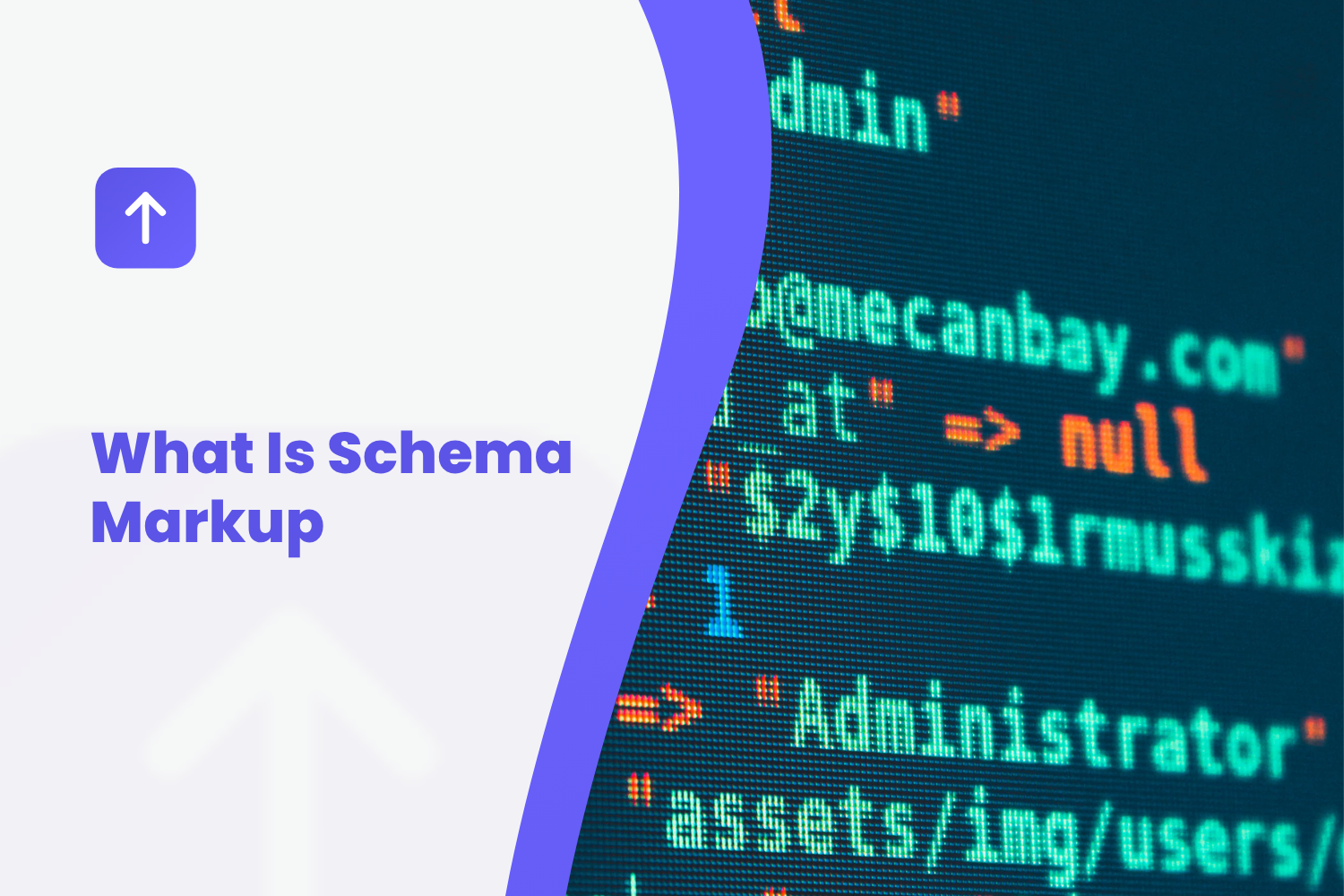
You will not see schema on your website unless you look at the page's code. A typical LocalBusiness block lists fields like these, each with your details filled in:
- Type: the kind of business, such as Plumber, Dentist or a general LocalBusiness.
- Name: your business name.
- Address: street, city, state and ZIP, where appropriate.
- Telephone: your main phone number.
- URL: your website address.
- Opening hours: the days and times you are open.
- Area served: the cities or regions you cover.
- sameAs: links to your official profiles elsewhere, such as Facebook or Yelp.
That is all it is: your basic business facts, written in a way machines can read reliably.
What Schema Markup Does for a Local Business
It helps search engines read your facts correctly
Labeled facts are easier to read and harder to misinterpret. If your page mentions two phone numbers, markup tells search engines which is your main one. If your hours appear in an image, markup can still state them in text.
It can make pages eligible for some enhanced results
Google's search gallery lists the enhanced results it currently supports. Eligibility does not mean they will appear, and the list keeps shrinking as Google simplifies results.
It may help some AI systems
At SMX Munich in March 2025, Microsoft's Fabrice Canel said schema helps Microsoft's language models understand content, according to Search Engine Land. That was a conference statement rather than a documented rule, and other AI companies have not said schema affects whether they cite a business.
It keeps your facts consistent
When markup is generated from the same details as your visible page and your Google Business Profile, it reinforces one consistent version of your business across everything machines read.
What Schema Markup Does Not Do
Schema is often oversold. Knowing its limits saves you money and disappointment.
It is not a ranking boost
Adding schema will not move your website up the rankings by itself. Valid markup can be necessary for certain enhanced results, but it is never enough on its own. Rankings depend on how relevant and useful your pages are, your reputation across the web and, for local results, Google's relevance, distance and prominence.
It is not required for Google's AI features
Google's guide to AI features says there are no additional requirements to appear in AI Overviews or AI Mode, and no special schema is needed. Pages need to be indexed and eligible to appear in search.
It does not get you review stars for your own reviews
Many older guides still say adding review markup will put gold stars next to your listing. In September 2019, Google announced it would stop showing review rich results for LocalBusiness and Organization types when the business itself collects and shows the reviews on its own site, even if those reviews are genuine. Your Google reviews appear on your Business Profile, which is where they matter most.
It no longer produces FAQ dropdowns
Google limited FAQ rich results to well-known government and health websites in August 2023, and as of May 7, 2026, FAQ rich results stopped appearing for all sites, as Search Engine Journal reported. Visible questions and answers on your pages still help customers; the markup no longer produces a visible result.
It does not replace your Google Business Profile
Your profile is what appears in Google Maps and the map pack. Schema on your website supports it but cannot substitute for a complete, verified profile.
It does not fix a thin website
Labeling the facts on a one-page site does not create the service and location pages that help customers and search engines understand what you do and where.
The Schema Types Local Owners Should Know
Schema.org has hundreds of types, but a local service business only needs to know a handful.
LocalBusiness and its subtypes
This is the main one. Google's LocalBusiness documentation requires name and address and recommends properties including telephone, website URL, location coordinates, opening hours and price range. Google advises using the most specific subtype available. Schema.org's LocalBusiness type has many subtypes: a plumber can use Plumber, which sits under HomeAndConstructionBusiness, and there are subtypes for electricians, HVAC businesses, roofers, locksmiths, movers, dentists, medical businesses, auto repair and many more. If there is no specific type for your trade, the closest broader type works fine.
Organization
Describes your business as an organization, including your logo and official profiles. Google's organization documentation covers it. For most local businesses, LocalBusiness already covers what is needed.
Service
Describes a specific service you offer. It fits best on a dedicated page for each service, where the heading, the content and the markup all describe the same thing.
FAQPage
Labels question-and-answer content. It no longer produces a visible result in Google, and Google reportedly still uses it to understand pages, so there is no need to remove accurate FAQ markup. There is also no reason to add it expecting a benefit.
Article
Describes blog posts and guides, including who wrote them. Google's Article documentation explains how to identify the author.
BreadcrumbList
Describes where a page sits in your site's structure, such as Home, then Services, then Drain Cleaning.
The Rules Your Schema Must Follow
Schema has rules, and breaking them can mean Google ignores your markup or, in serious cases, takes manual action.
- Match the visible page. Google's structured data policies say markup must represent the main content of the page and should not describe content that is not visible to readers.
- Match your Business Profile. Your name, address, phone and hours in schema should match your Google Business Profile and every other listing exactly.
- Use your real business name. No added keywords or city names, the same rule that applies to your Business Profile.
- Do not mark up fake or self-serving reviews. The FTC's rule banning fake reviews, effective October 21, 2024, applies regardless of markup.
- Keep it current. When hours, phone numbers or addresses change, the markup must change too.
A special case: service-area businesses
Many trades serve customers at their homes and hide their address on Google. Google's Business Profile guidelines say service-area businesses should hide their address from customers. Because markup should describe what is on the page, many service-area businesses publish only their city, region and the areas they serve in schema. Google lists address as required for LocalBusiness enhanced results, so this is a trade-off. The key is to stay consistent with what you show customers.
Why Manual Schema So Often Goes Wrong
Schema is simple in principle and surprisingly easy to get wrong in practice. These are the problems that show up most often on local business websites:
- Outdated details. Someone added markup years ago with the old phone number or hours, and nobody updated it.
- Duplicate markup. A theme adds one LocalBusiness block, a plugin adds another and a manually pasted block adds a third, each with slightly different details.
- Generic types. Markup says "LocalBusiness" when a more specific type, such as Electrician, was available.
- Mismatched details. The markup says one thing, the visible page says another and the Google profile says a third.
- Self-serving review markup copied from an old guide, which no longer produces stars and can violate Google's rules.
- Markup for content that is not on the page, such as FAQs that were removed from the visible text.
- Broken code from a missing comma or bracket, which makes the whole block unreadable.
The common thread is that manually maintained markup drifts away from the real page. The most reliable approach is markup generated automatically from the same data that fills your visible page, so a change in one place changes both.
How to Check Whether Your Website Has Schema
You do not need to read code to check. Free tools do it for you.
Google's Rich Results Test
Enter your page address in Google's Rich Results Test. It shows which Google enhanced results your markup can support and flags errors and warnings.
Schema.org validator
The Schema Markup Validator checks your markup against the full Schema.org vocabulary, not just the parts Google uses. It shows every type and property it finds.
Google Search Console
If your site is set up in Search Console, enhancement reports show markup issues across your whole site over time.
What to look for
- Is there a LocalBusiness block, ideally with a specific subtype?
- Do the name, phone, address or area served and hours match your visible page and Google profile exactly?
- Is there only one LocalBusiness block per location?
- Are there errors or warnings?
- Is there any review markup describing your own reviews? If so, it should probably go.
Picking the Right Type for Your Business
Google recommends using the most specific LocalBusiness subtype that fits. A few common examples from Schema.org:
- Home services: Plumber, Electrician, HVACBusiness, RoofingContractor, Locksmith, MovingCompany and GeneralContractor, all under HomeAndConstructionBusiness.
- Health: Dentist, Physician, and other types under MedicalBusiness.
- Automotive: AutoRepair, AutoBodyShop and others under AutomotiveBusiness.
- Professional services: AccountingService, Attorney and similar types.
- Personal services: types such as BeautySalon and HairSalon.
If your trade has no exact type, such as tree services or pressure washing, use the closest broader type, such as HomeAndConstructionBusiness or LocalBusiness itself. Do not choose a type that misdescribes you just because it sounds more specific. Schema.org also has an EmergencyService type, but it describes emergency services like fire and police, not businesses that offer after-hours calls.
Linking Your Profiles With sameAs
The sameAs property lists the web addresses of other pages that represent your business, such as your Facebook page, Yelp listing, LinkedIn page and industry directory profiles. It helps systems connect your website with your other official profiles, so they understand they all describe the same business.
- List only official profiles you control.
- Use full web addresses.
- Remove profiles you have closed.
- Make sure the business details on those profiles match your website.
This is especially useful because AI tools and search engines gather information about your business from many sources. Clear connections between them reduce the chance of confusion with a similarly named business.
Schema for Businesses With More Than One Location
If you have several staffed locations, each one should have its own location page on your website with that location's exact name, address, phone and hours, and its own LocalBusiness markup on that page. Do not put every location's details into a single block on the homepage. Each location's markup should match that location's Google Business Profile.
Service-area businesses with one base and many towns served are different: they usually have one LocalBusiness block for the business, listing the areas served, and separate pages for the towns they cover without separate business markup for each town.
How Schema and Your Google Business Profile Relate
Your Google Business Profile is a listing Google hosts; your schema is a description on your own website. They are separate, and neither updates the other automatically. That is why consistency matters: when you change your hours on your profile, change them on your website and in your markup the same day. When all three agree, every system that reads your business sees the same facts.
Should You Add Schema Yourself?
It depends on your platform and comfort with technical work.
- Website builders: many add some markup automatically, and some let you edit it. Wix, for example, says it lets you customize structured data. Check what your builder adds before adding more, to avoid duplicates.
- WordPress: SEO plugins often add markup. Configure them carefully, make sure only one source writes your business markup and check the output with the testing tools.
- Custom sites: a developer can add markup generated from your business data.
- Pasting code yourself: possible, but it is the method most likely to go out of date.
For most busy owners, the practical goal is not to become a schema expert. It is to make sure your site has one accurate LocalBusiness block that matches your page and profile, and that it stays accurate when details change.
Questions to Ask Your Website Provider
Whether you use a builder, a freelancer or an agency, ask:
- Does my site include LocalBusiness markup, and which type does it use?
- Is the markup generated from the same details shown on my pages, or entered separately?
- If I change my hours or phone number, does the markup update automatically?
- Is there only one source of business markup, or could a theme or plugin be adding duplicates?
- Do you add review markup for my own reviews? (The right answer is no.)
- How do you handle markup if my business hides its address as a service-area business?
- Do my service pages include markup describing each service?
Clear, confident answers suggest the basics are covered. Vague answers suggest you should run the testing tools yourself.
Schema, Local SEO and Getting Found in Your City
Schema is one small part of local visibility. Google says local results are "mainly based on relevance, distance, and prominence." The work that moves those factors is mostly elsewhere:
- A complete, verified Google Business Profile with the right category, accurate hours and real photos.
- Steady, recent reviews with replies.
- A page for each service and the areas you serve, written for customers.
- Consistent details across your website, profile and listings.
- Mentions and links from local and industry sites.
For AI search, the picture is similar. BrightLocal's 2026 analysis of AI citations found Google Business Profiles and directories such as Yelp among the most cited sources for local businesses, and Ahrefs found branded web mentions had the strongest correlation with appearing in Google AI Overviews. Schema keeps your own facts straight while that work does the heavy lifting.
For more on how AI tools read local businesses, see our guide on how AI tools find local businesses, and for the map, our map pack checklist.
An Example: Cleaning Up an Electrician's Markup
Here is how this might look for an illustrative electrical contractor in Nashville. The details are an example, not a real business.
The owner runs his homepage through the Rich Results Test and finds three LocalBusiness blocks: one from the website theme, one from an SEO plugin and one pasted in by a previous web designer. Two list an old phone number, one uses the generic LocalBusiness type and one includes review markup describing testimonials on the site. None of the blocks mention the towns he serves.
He asks his web provider to remove the extra blocks, keep a single block using the Electrician type, generate it from the same details as the visible contact information, remove the self-serving review markup and add his service area. A retest shows one clean block with no errors, matching his Google Business Profile exactly. His rankings do not jump overnight, and nobody should expect them to, but search engines and AI tools now read one consistent, accurate version of his business.
What Changed in Recent Years
Much of the schema advice online is out of date, because Google has steadily simplified search results:
- 2019: Google stopped showing review stars for LocalBusiness and Organization types when the business shows reviews of itself on its own site.
- 2023: FAQ rich results were limited to well-known government and health sites, and HowTo rich results were removed, as Search Engine Journal reported.
- 2025: on June 12, Google announced it would phase out several more rich result types, as Search Engine Journal reported.
- 2026: FAQ rich results stopped appearing for all sites on May 7.
If a guide or a vendor promises review stars, FAQ dropdowns or how-to steps in search results from markup, it is describing how things used to work. The core use, accurately labeling your business details, has not changed.
A Quick Schema Checklist
- One LocalBusiness block per location, using the most specific accurate type.
- Name, phone, address or service area and hours that match your visible page exactly.
- The same details as your Google Business Profile and other listings.
- Your website URL and official profiles listed in sameAs.
- No review markup describing reviews of your own business.
- No markup for content that is not visible on the page.
- No errors in the Rich Results Test or Schema Markup Validator.
- Markup generated from the same data as your page, so it updates when details change.
- A check with the testing tools after any change to hours, phone, address or services.
If your site passes this checklist, your schema is doing its job. Further additions are optional refinements, not requirements.
Myths About Schema Markup
"Schema will boost my rankings"
It helps machines read your facts and can make pages eligible for some enhanced results. It is not a ranking boost on its own.
"I need schema to show up in AI answers"
Google says its AI features need no special schema. Your profile, reviews, listings, website content and mentions matter far more.
"Review schema will put stars next to my business"
Not for your own reviews. Google stopped showing those in 2019. Your Google reviews show on your Business Profile.
"FAQ schema gets me dropdowns in search"
Not anymore. FAQ rich results stopped appearing for all sites on May 7, 2026.
"More schema types are always better"
One accurate, matching LocalBusiness block beats a pile of generic or duplicate markup. Add types only when they describe real content on the page.
"Once it's added, it's done"
Markup has to change when your details change. Outdated markup sends the wrong facts to every system that reads it.
Where Grow Local Fits
Grow Local builds the website foundation that schema describes: a page for each service, with service pages of 800 or more words each, and a location page for each city, with 50 or more pages per site and your business details shown consistently. It costs $99 a month on one plan, with no contract and no setup fee, and includes hosting, SSL, mobile-responsive design and Google Business Profile connection. You edit services, hours, phone and photos from the dashboard and review a free preview before paying. Whatever platform you use, run your pages through the testing tools above to confirm the markup matches what your customers see.
Frequently Asked Questions
What is schema markup in simple terms?
Code on your website that labels your business details, such as name, address, phone and hours, so search engines and other systems can read them without guessing. Visitors do not see it.
Does schema markup help SEO?
It helps search engines read your facts accurately and can make pages eligible for some enhanced results, but it is not a ranking boost on its own.
What schema does a local business need?
Mainly one accurate LocalBusiness block, using the most specific subtype for your business, with details that match your page and Google Business Profile.
Is schema required for Google AI Overviews?
No. Google says there are no additional requirements and no special schema needed for its AI features.
Can schema give me review stars in Google?
Not for reviews of your own business shown on your own site. Google stopped showing those in September 2019.
Do FAQ rich results still work?
No. Google stopped showing FAQ rich results for all sites on May 7, 2026. Visible questions and answers still help customers.
How do I check my website's schema?
Run your pages through Google's Rich Results Test and the Schema Markup Validator, and check Search Console's enhancement reports.
Should service-area businesses include an address in schema?
Google says service-area businesses should hide their address on their profile, so many publish only city, region and areas served in markup. It is a trade-off, since Google lists address as required for LocalBusiness enhanced results.
Can I add schema myself?
Yes, through your builder's settings, a plugin or pasted code, but check for duplicates and keep it updated. Generated markup is less likely to drift.
What is JSON-LD?
The format Google recommends for structured data. It sits in its own block of code rather than being mixed into your visible text.
What is the sameAs property?
A list of web addresses for your official profiles elsewhere, such as Facebook or Yelp, that helps systems connect them to your website as the same business.
Can bad schema hurt my site?
Markup that misrepresents your page or describes fake reviews can be ignored or, in serious cases, lead to manual action. Outdated markup spreads wrong details. Accurate markup carries no risk.
Which schema type should a tree service or pressure washer use?
If there is no exact type, use the closest broader one, such as HomeAndConstructionBusiness or LocalBusiness. Accuracy matters more than specificity.
How often should schema be updated?
Whenever your business details change, plus a check with the testing tools a few times a year.
Final Thoughts
Schema markup is a label maker for the facts already on your website. Done well, with one accurate LocalBusiness block that matches your visible page and your Google Business Profile, it removes ambiguity for search engines and some AI systems. Done badly, with outdated, duplicate or self-serving markup, it sends mixed signals. It will not rank your site on its own, it is not required for Google's AI features and some of its old benefits are gone. Make sure it is accurate, keep it current and spend most of your effort on the things that move local visibility: your profile, reviews, service pages, consistent listings and mentions across the web.
A sensible first step is to run your homepage and contact page through the Rich Results Test today. If you see one clean LocalBusiness block that matches your details, you are done for now. If you see errors, duplicates or old information, you have a short, specific fix list to hand to whoever manages your website.