| Aspect | WordPress | Grow Local |
|---|
| Primary Focus | General content management | Local service business growth |
| Target Audience | Bloggers, e-commerce, enterprises | Local contractors and service providers |
| Setup Complexity | High - requires hosting, themes, plugins | Low - all-inclusive platform |
| Maintenance Required | Ongoing updates, security, backups | Fully managed service |
| Local SEO | Plugin-dependent | Built-in and automated |
| Support Model | Community forums | Dedicated support team |
WordPress: The Universal Content Management System
WordPress began as a blogging platform in 2003 and evolved into the world's most popular content management system, powering over 40% of all websites. Its open-source nature allows unlimited customization through thousands of themes and plugins, making it suitable for everything from personal blogs to enterprise e-commerce sites. The WordPress platform attracts developers and businesses who need complete control over their website's functionality and appearance.
However, this flexibility comes with significant complexity. WordPress requires separate hosting, regular security updates, plugin management, and technical knowledge to maintain effectively. For local service businesses, WordPress often becomes a time-consuming distraction rather than a business growth tool, especially when attempting to implement effective local SEO strategies.
Grow Local: Purpose-Built for Local Service Businesses
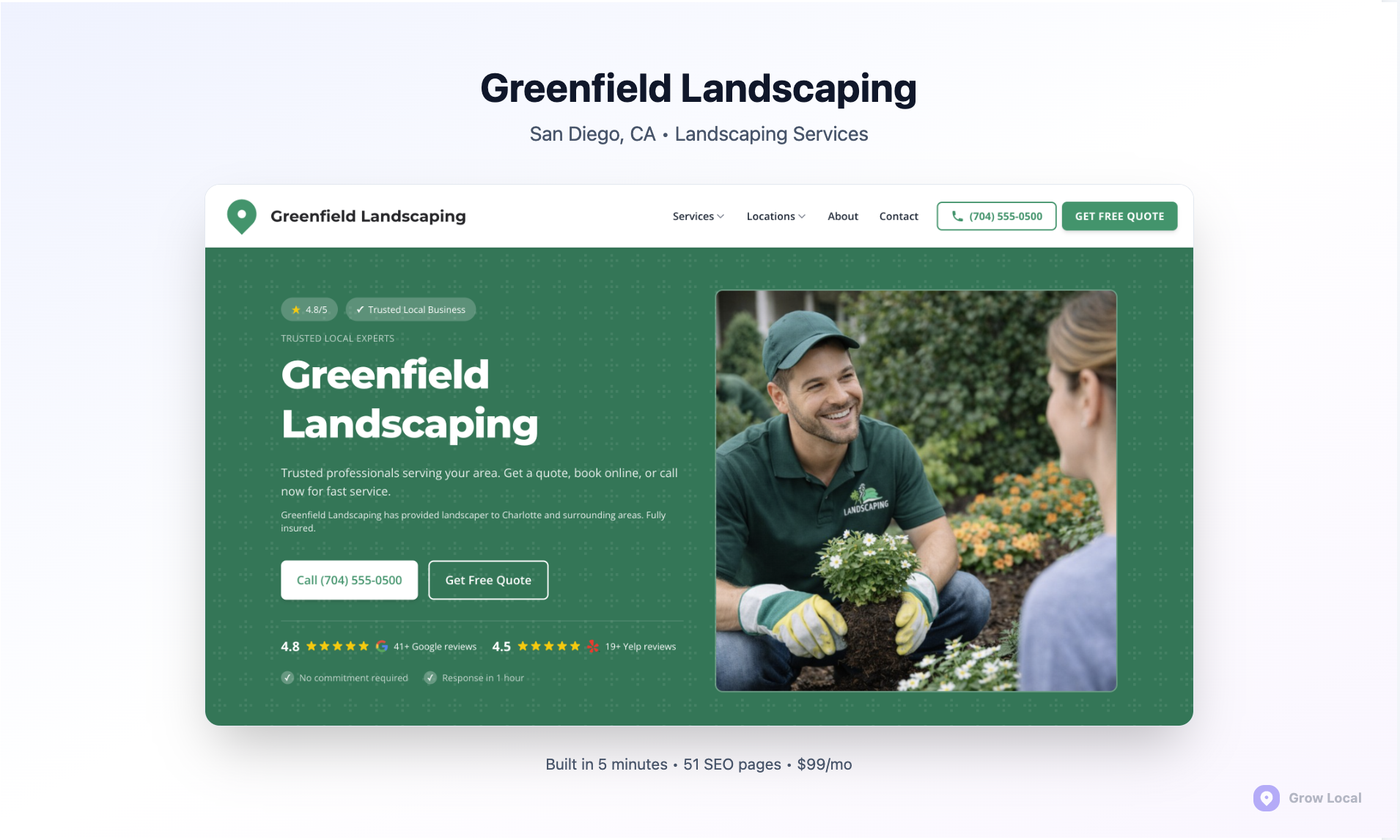
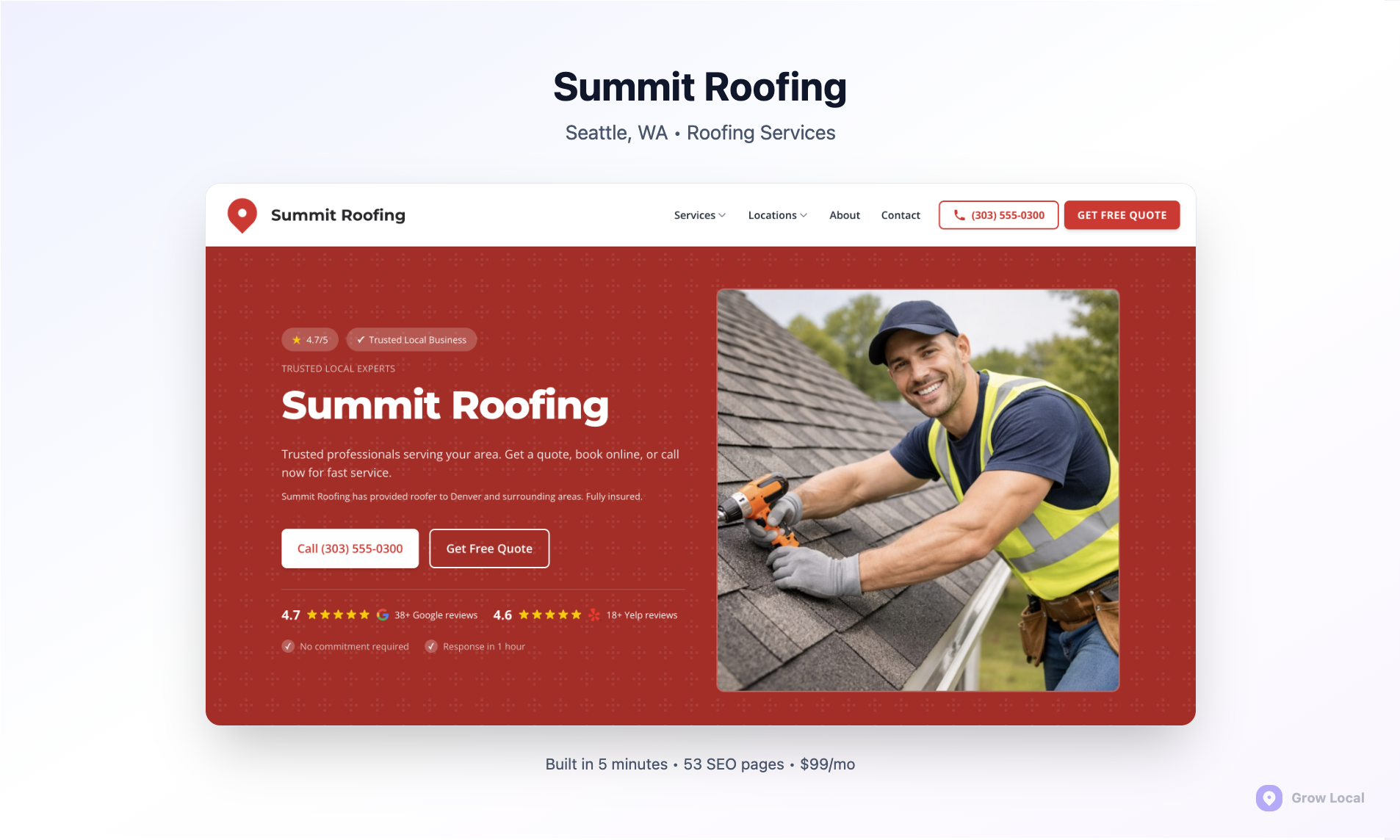
The Grow Local platform takes a completely different approach, focusing exclusively on what local service businesses actually need: more phone calls, more leads, and higher search rankings in their service areas. Instead of offering infinite customization options, Grow Local provides the specific tools that help plumbers, electricians, HVAC contractors, and other service providers dominate their local markets.
This specialized approach includes built-in neighborhood pages, automatic schema markup, integrated review management, and local SEO features that would require multiple expensive plugins on WordPress. Local service businesses using Grow Local can focus on running their operations while the platform handles the technical aspects of local search optimization and lead generation.
Feature-by-Feature Comparison Table
| Feature | WordPress | Grow Local |
|---|
| Monthly Cost | $50-300+ (hosting, plugins, themes) | $99 all-inclusive |
| Custom Website | ✓ (requires design work) | ✓ (included) |
| Local SEO Built-In | ✗ (requires plugins) | ✓ |
| Neighborhood Pages | ✗ (manual creation) | ✓ (automated) |
| Blog with AI Writer | ✗ (separate service needed) | ✓ |
| Schema Markup | ✗ (plugin required) | ✓ (automatic) |
| Google Business Profile Integration | ✗ (third-party tools) | ✓ |
| Dedicated Support | ✗ (community only) | ✓ |
| Contract Length | Varies by provider | Month-to-month |
Breaking Down the Comparison Results
The feature comparison reveals significant differences in approach and value proposition. WordPress requires business owners to piece together multiple services, plugins, and tools to achieve what Grow Local provides in a single integrated platform. This fragmented approach often leads to compatibility issues, security vulnerabilities, and higher total costs over time.
The most striking difference lies in local SEO capabilities. WordPress treats local optimization as an afterthought, requiring business owners to research, purchase, and configure multiple plugins for basic local SEO features. Meanwhile, Grow Local builds these capabilities into every aspect of the platform, from automatic neighborhood page generation to integrated Google Business Profile management.
Where Each Platform Stands Out
WordPress excels in situations requiring extensive customization, complex functionality, or unique design requirements. E-commerce businesses with intricate product catalogs, content publishers with specific workflow needs, or enterprises with custom integration requirements benefit from WordPress's unlimited flexibility. The platform's vast ecosystem of themes and plugins can accommodate virtually any requirement with enough time and budget.
Grow Local's specialized features shine for local service businesses who need results quickly without technical complexity. The platform's automated neighborhood page creation, built-in review management, and integrated local SEO tools provide immediate value that would take months to implement and optimize on WordPress. Service businesses can launch effective local marketing campaigns within days rather than months.
Pricing Breakdown: True Costs Revealed
| Cost Component | WordPress (Annual) | Grow Local (Annual) |
|---|
| Hosting | $120-$600 | Included |
| Premium Theme | $50-$200 | Included |
| Local SEO Plugins | $200-$500 | Included |
| Security & Backups | $100-$300 | Included |
| Maintenance | $600-$1,200 | Included |
| Support | $200-$500 | Included |
| Total Annual Cost | $1,270-$3,300 | $1,188 |
WordPress Hidden Costs and Add-On Expenses
WordPress's advertised "free" status misleads many business owners who discover the true costs after committing to the platform. Quality hosting for a business website ranges from $10-50 monthly, while premium themes designed for local businesses cost $50-200 upfront. Local SEO plugins like RankMath Pro, Local SEO by Yoast, and BirdEye reviews add $200-500 annually in subscription fees.
The largest hidden expense comes from ongoing maintenance and support. WordPress requires regular updates, security monitoring, backup management, and plugin compatibility checks. Business owners either spend 5-10 hours monthly managing these tasks or hire professionals charging $50-100 hourly for maintenance services. These plugin costs and maintenance requirements can easily double or triple the initial budget expectations.
Grow Local's All-Inclusive $99 Monthly Value
Grow Local's transparent $99 monthly fee includes everything needed to run a successful local business website: hosting, security, backups, updates, support, and advanced local SEO tools. This all-inclusive pricing eliminates surprise costs and allows business owners to budget accurately for their marketing expenses. The platform includes features that would cost hundreds monthly when assembled through separate WordPress plugins and services.
The monthly value extends beyond cost savings to time savings. Business owners avoid researching plugins, troubleshooting conflicts, managing updates, and coordinating with multiple service providers. This simplified approach allows them to focus on serving customers and growing their businesses rather than managing technical infrastructure.
Real Limitations for Local Service Businesses
WordPress faces significant challenges when serving local service businesses, primarily because it was never designed with local search optimization as a priority. These limitations become apparent when business owners attempt to compete effectively in local search results against competitors using specialized platforms or professional SEO services.
The platform's general-purpose design means local service businesses must retrofit WordPress for local SEO success, often requiring extensive technical knowledge or expensive professional help. Many business owners discover these limitations only after investing months of time and thousands of dollars in WordPress development.
Local SEO Gaps in Standard WordPress
WordPress lacks built-in tools for creating neighborhood-specific pages, which are necessary for ranking in multiple service areas. Local contractors serving various suburbs and neighborhoods must manually create and optimize dozens of location pages - a time-consuming process that specialized platforms automate. The platform also struggles with service-location combination pages that help businesses rank for searches like "plumber in [neighborhood]" or "HVAC repair near [landmark]."
Schema markup implementation presents another major challenge. Local businesses need specific structured data to help Google understand their services, locations, and business information. WordPress requires technical knowledge or expensive plugins to implement schema markup correctly, while many business owners struggle with the complexity of structured data management and technical SEO requirements.
Maintenance and Technical Complexity Issues
Plugin conflicts create ongoing headaches for WordPress users, especially when combining multiple SEO tools, security plugins, and local business features. These conflicts can break website functionality, harm search rankings, or create security vulnerabilities that expose business data. Resolving plugin conflicts requires technical troubleshooting skills that most business owners lack.
Security vulnerabilities pose serious risks for WordPress sites, as the platform's popularity makes it a frequent target for hackers. Business owners must constantly monitor for security threats, install patches, and maintain backups - responsibilities that distract from core business activities. The complexity of managing WordPress security, updates, and plugin compatibility often overwhelms local business owners who need simple, reliable solutions.
Local SEO Capabilities Comparison
| Local SEO Feature | WordPress Implementation | Grow Local Implementation |
|---|
| Neighborhood Pages | Manual creation and optimization | Automated generation |
| Schema Markup | Plugin configuration required | Built-in and automatic |
| Review Management | Third-party integrations | Integrated platform |
| Local Citations | Manual submission process | Automated distribution |
| Google Business Profile | Separate management tools | Direct integration |
| Location-Based Content | Custom development needed | Template-driven creation |
WordPress Local SEO: Plugin-Dependent Solutions
WordPress local SEO relies heavily on third-party plugins that often conflict with each other or become incompatible during updates. Popular options like Yoast Local SEO, RankMath, and Local Business Schema require separate configuration and ongoing management. These plugins frequently overlap in functionality, creating redundant code that slows website performance and complicates troubleshooting.
The fragmented nature of WordPress SEO plugins means business owners must become experts in multiple tools to achieve comprehensive local optimization. Each plugin has different interfaces, update schedules, and compatibility requirements, making integrated local SEO campaigns difficult to coordinate and maintain effectively.
Grow Local's Built-In Local SEO Features
Grow Local integrates all local SEO functions into a cohesive platform designed specifically for service area businesses. The system automatically generates neighborhood pages, implements proper schema markup, and creates location-specific content without requiring technical knowledge or plugin management. This integrated approach eliminates compatibility issues while ensuring all local SEO elements work together harmoniously.
The platform's automated schema markup includes LocalBusiness, Service, and Review schemas that help Google understand and display business information in search results and map packs. These structured data implementations follow Google's guidelines precisely and update automatically as business information changes, maintaining consistent local search visibility.
Ease of Use and Learning Curve
| Usability Factor | WordPress | Grow Local |
|---|
| Initial Setup Time | 2-4 weeks | 1-2 days |
| Learning Curve | Steep (months to master) | Gentle (days to competency) |
| Daily Management | 30-60 minutes | 5-10 minutes |
| Technical Skills Required | High | Minimal |
| Training Resources | Scattered across platforms | Integrated tutorials |
| Ongoing Complexity | Increases over time | Remains consistent |
WordPress Learning Curve and Time Investment
WordPress demands significant time investment before business owners can manage their sites effectively. Learning the dashboard, understanding plugin relationships, configuring SEO settings, and maintaining security requires weeks or months of study. Many business owners underestimate this learning curve and become frustrated when their websites don't perform as expected.
The skill requirements extend beyond basic website management to include understanding hosting environments, database management, and troubleshooting technical issues. Business owners often find themselves spending more time learning WordPress than focusing on their actual services, leading to neglected customer relationships and reduced business growth.
Grow Local's Simplified Management Experience
Grow Local reduces the learning curve to days rather than months by providing intuitive interfaces designed specifically for local business owners. The platform guides users through setup processes with clear explanations and automated features that handle technical complexities behind the scenes. Business owners can focus on content creation and customer engagement rather than technical troubleshooting.
The simplified management experience includes automated features that handle routine SEO tasks, content optimization, and performance monitoring. This automation allows business owners to maintain effective website design and functionality without developing technical expertise or dedicating excessive time to website management.
| Business Type | Recommended Platform | Primary Reasons |
|---|
| Local Plumbers | Grow Local | Automated neighborhood pages, local SEO |
| E-commerce Stores | WordPress | WooCommerce integration, product catalogs |
| HVAC Contractors | Grow Local | Service area optimization, lead generation |
| Content Publishers | WordPress | Blogging tools, content management |
| Electricians | Grow Local | Local citations, review management |
| National Brands | WordPress | Custom development, scalability |
WordPress is Best For These Business Types
WordPress excels for e-commerce businesses that need extensive product catalogs, complex inventory management, and custom checkout processes. The WooCommerce ecosystem provides robust online store functionality that specialized platforms cannot match. Content publishers, bloggers, and media companies benefit from WordPress's advanced content management features, editorial workflows, and publishing tools.
National brands and enterprises with unique requirements often choose WordPress for its unlimited customization potential and developer ecosystem. These organizations typically have dedicated IT resources to manage the platform's complexity and can justify the higher costs for complete creative control over their digital presence.
Grow Local is Ideal for Local Service Businesses
Local service providers including plumbers, electricians, HVAC contractors, garage door companies, pest control services, and landscapers find the most value in Grow Local's specialized approach. These businesses need customers to find them when searching for services in specific neighborhoods and cities - exactly what Grow Local's automated local SEO features accomplish.
Service businesses that rely on phone calls and local leads benefit from Grow Local's integrated lead generation tools, automated review management, and neighborhood-specific content creation. The platform's focus on local search visibility and conversion optimization aligns perfectly with how local service businesses actually acquire customers through strategic content marketing.
Migration Path from WordPress to Grow Local
Switching from WordPress to Grow Local involves a structured process designed to preserve existing content while improving local search performance. The migration typically takes 1-2 weeks and includes content transfer, URL structure optimization, and local SEO enhancement to ensure the new platform delivers better results than the previous WordPress installation.
Business owners considering this transition often worry about losing search rankings or website functionality during the switch. However, proper migration planning and execution can actually improve search performance by implementing better local SEO practices and eliminating technical issues that may have been hindering WordPress performance.
Step-by-Step Migration Process
The migration begins with a comprehensive audit of the existing WordPress site to identify valuable content, important pages, and current search rankings. The Grow Local team exports blog posts, service pages, and media files while analyzing the site's current local SEO implementation. This content transfer process preserves existing valuable content while preparing it for optimization within the new platform structure.
Next, the team recreates the website structure using Grow Local's optimized templates and local SEO features. This includes setting up automated neighborhood pages, implementing proper schema markup, and configuring integrated review management systems. The new site launches with improved local SEO capabilities that typically weren't available on the previous WordPress installation.
Timeline and What to Expect During the Switch
The complete migration process typically requires 7-14 days from initial audit to final launch. During this time, the existing WordPress site remains live and functional, ensuring no business disruption or lost customers. The Grow Local team handles all technical aspects of the migration, including DNS changes, redirect setup, and search engine notifications.
Most businesses begin seeing improved local search performance within 30-60 days after migration, as Google recognizes the enhanced local SEO signals and better technical implementation. The improved site speed, mobile optimization, and local search features often result in better rankings and increased lead generation compared to the previous WordPress installation.
Frequently Asked Questions
Is WordPress good for local service businesses?
WordPress can work for local service businesses but requires significant additional investment in plugins, hosting, and technical management to achieve effective local SEO results. Most local businesses find WordPress too complex and time-consuming compared to specialized platforms designed specifically for local service providers with built-in local optimization features.
What are the main differences between WordPress and Grow Local?
WordPress is a general-purpose content management system requiring plugins and technical expertise for local SEO, while Grow Local is purpose-built for local service businesses with integrated neighborhood pages, automated schema markup, and simplified management. WordPress offers unlimited customization but demands ongoing maintenance, while Grow Local provides specialized local SEO tools in an all-inclusive platform.
How much does WordPress really cost for a local business website?
WordPress total costs typically range from $100-275 monthly including hosting, premium themes, local SEO plugins, security services, and maintenance. Hidden expenses include plugin subscriptions, technical support, security monitoring, and time invested in learning and managing the platform. These costs often exceed specialized platforms offering more local business value.
Can I switch from WordPress to Grow Local without losing my search rankings?
Yes, proper migration procedures preserve search rankings while often improving them through better local SEO implementation. The migration process includes setting up redirects, transferring valuable content, and implementing enhanced local optimization features that can boost local search performance beyond previous WordPress capabilities while maintaining existing search equity.
Does Grow Local work for all types of local businesses?
Grow Local works best for local service businesses like contractors, plumbers, electricians, HVAC companies, and similar service providers who rely on local search visibility and phone leads. Retail businesses with extensive product catalogs or businesses requiring complex e-commerce functionality might need more specialized solutions for their specific industry requirements.
What happens to my existing WordPress content when I switch?
All valuable content including blog posts, service descriptions, photos, and important pages transfers to the new Grow Local platform during migration. The content receives optimization for local search while maintaining the same information customers expect. URLs redirect properly to preserve search engine rankings and bookmark functionality for returning visitors.
Is WordPress more flexible than Grow Local?
WordPress offers more customization flexibility through unlimited themes and plugins, while Grow Local focuses on proven local business features that generate leads and improve search rankings. WordPress flexibility comes with complexity and maintenance requirements, while Grow Local provides the specific tools local service businesses need without unnecessary complexity or technical management demands.
How long does it take to see results with Grow Local vs WordPress?
Grow Local users typically see local search improvements within 30-60 days due to built-in local SEO features and optimized implementation. WordPress results depend heavily on proper plugin configuration, ongoing optimization, and technical management - often taking 3-6 months to achieve similar local search performance if implemented correctly with professional help.
Do I need technical skills to manage Grow Local like I do with WordPress?
No, Grow Local requires minimal technical knowledge and handles updates, security, and optimization automatically. WordPress demands ongoing technical management including plugin updates, security monitoring, backup management, and troubleshooting compatibility issues. Grow Local users focus on business content while the platform manages technical complexities behind the scenes.
What kind of support do I get with each platform?
WordPress relies primarily on community forums and documentation, with professional support available through third-party services at additional cost. Grow Local provides dedicated support from local SEO specialists who understand service business needs and can provide specific guidance for improving local search performance and lead generation strategies.
Making the Right Choice for Your Local Service Business
The decision between WordPress and Grow Local ultimately depends on your business priorities, technical comfort level, and growth objectives. WordPress offers unlimited customization potential for businesses with specific technical requirements, dedicated IT resources, and complex functionality needs. However, most local service businesses benefit more from Grow Local's specialized approach that eliminates technical complexity while delivering superior local SEO results.
Local service providers who choose specialized platforms typically see faster results, spend less time on website management, and achieve better local search visibility compared to those struggling with WordPress complexity. The integrated approach of platforms like Grow Local allows business owners to focus on serving customers and growing revenue rather than troubleshooting technical issues and managing multiple service providers.
For local service businesses ready to improve their online presence without the technical headaches, specialized platforms provide clear advantages over general-purpose solutions. The combination of automated local SEO, simplified management, and dedicated support creates a foundation for sustainable business growth and improved customer acquisition through professional local marketing solutions.